Building a Sophisticated Python Web App with Reflex in Google Colab
This guide walks you through creating a comprehensive web application entirely in Python, running effortlessly within Google Colab. Leveraging Reflex, a powerful framework for full-stack development without writing any JavaScript, we craft a dynamic notes management dashboard. This app features multiple pages, real-time database operations, filtering, sorting, analytics, and user-specific customization.
Step 1: Environment Setup and Reflex Installation
We begin by preparing our development environment inside Colab. This involves creating a dedicated project folder and installing the Reflex framework to ensure all dependencies are correctly configured. This foundational setup guarantees smooth execution of the app without any package conflicts.
import os, subprocess, sys, pathlib

APP_NAME = "reflex_colab_advanced"
os.makedirs(APP_NAME, exist_ok=True)
os.chdir(APP_NAME)
subprocess.run([sys.executable, "-m", "pip", "install", "-q", "reflex==0.5.9"])
Step 2: Configuring the Application and Database Connection
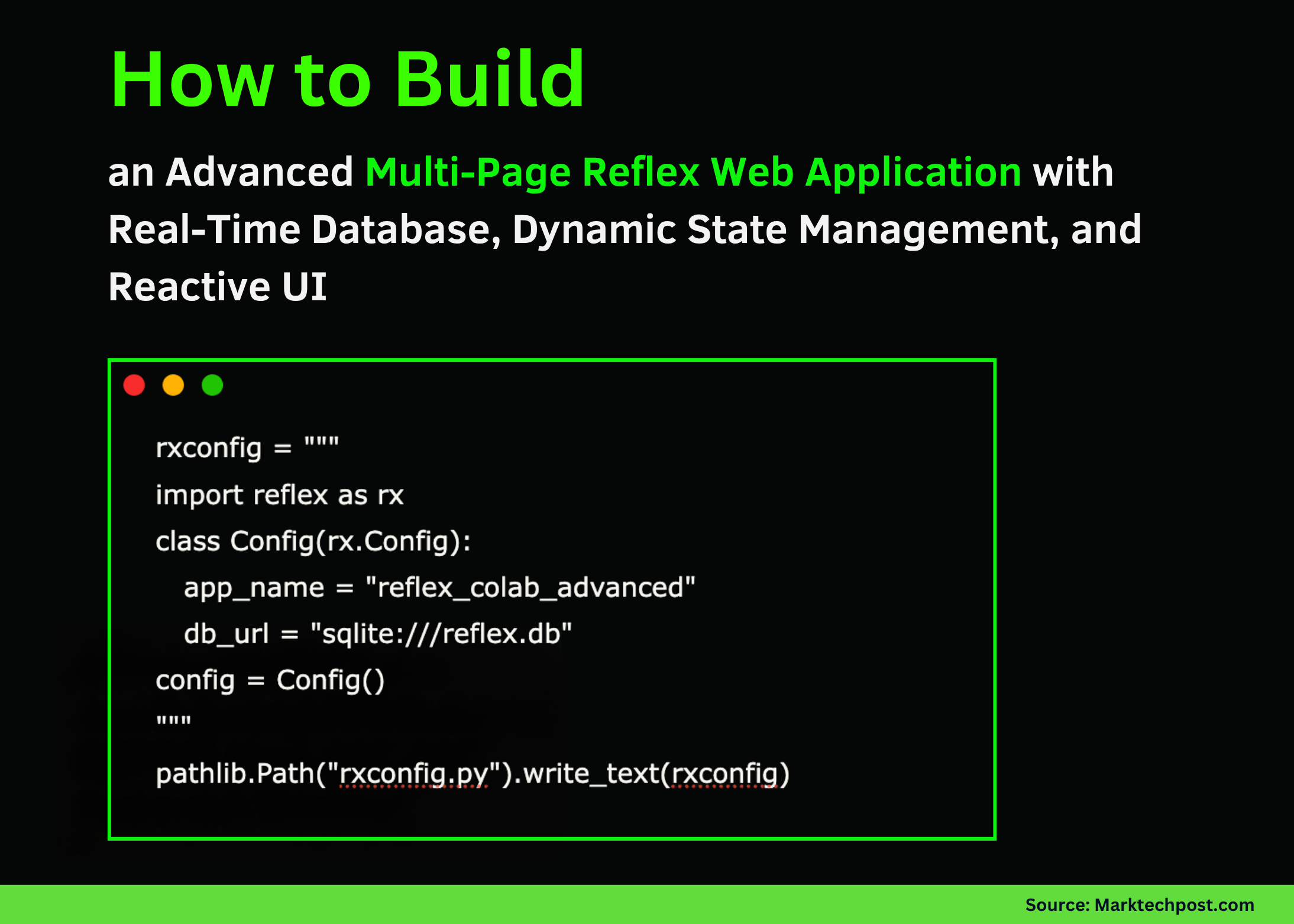
Next, we define the app’s configuration, specifying its name and linking it to a local SQLite database. This minimal yet essential setup enables persistent storage for our notes, facilitating seamless data management throughout the app’s lifecycle.
import reflex as rx

class Config(rx.Config):
    app_name = "reflex_colab_advanced"
    db_url = "sqlite:///reflex.db"

config = Config()

import pathlib
pathlib.Path("rxconfig.py").write_text("""
import reflex as rx

class Config(rx.Config):
    app_name = "reflex_colab_advanced"
    db_url = "sqlite:///reflex.db"

config = Config()
""")
Step 3: Defining Data Models and Reactive State Management
We establish a Note model representing individual notes, each with content, a tag, and a completion status. Alongside, a reactive State class manages user inputs, filtering criteria, sorting preferences, and asynchronous database operations such as adding, updating, and deleting notes. Additionally, it computes real-time statistics like total notes, completed tasks, and tag distributions.
import reflex as rx

class Note(rx.Model, table=True):
    content: str
    tag: str = "general"
    done: bool = False

class State(rx.State):
    user: str = ""
    search: str = ""
    tag_filter: str = "all"
    sort_desc: bool = True
    new_content: str = ""
    new_tag: str = "general"
    toast_msg: str = ""

    def set_user(self, value: str):
        self.user = value

    def set_search(self, value: str):
        self.search = value

    def set_tag_filter(self, value: str):
        self.tag_filter = value

    def set_new_content(self, value: str):
        self.new_content = value

    def set_new_tag(self, value: str):
        self.new_tag = value

    def toggle_sort(self):
        self.sort_desc = not self.sort_desc

    async def add_note(self):
        if self.new_content.strip():
            await Note.create(content=self.new_content.strip(), tag=self.new_tag.strip() or "general")
            self.new_content = ""
            self.toast_msg = "Note successfully added"

    async def toggle_done(self, note_id: int):
        note = await Note.get(id=note_id)
        if note:
            await note.update(done=not note.done)

    async def delete_note(self, note_id: int):
        await Note.delete(id=note_id)
        self.toast_msg = "Note deleted"

    async def clear_done(self):
        notes = await Note.all()
        for note in notes:
            if note.done:
                await Note.delete(id=note.id)
        self.toast_msg = "Completed notes cleared"

    async def notes_filtered(self):
        notes = await Note.all()
        query = self.search.lower()
        if query:
            notes = [n for n in notes if query in n.content.lower() or query in n.tag.lower()]
        if self.tag_filter != "all":
            notes = [n for n in notes if n.tag == self.tag_filter]
        notes.sort(key=lambda n: n.id, reverse=self.sort_desc)
        return notes

    async def stats(self):
        notes = await Note.all()
        total = len(notes)
        done = len([n for n in notes if n.done])
        tag_counts = {}
        for n in notes:
            tag_counts[n.tag] = tag_counts.get(n.tag, 0) + 1
        top_tags = sorted(tag_counts.items(), key=lambda x: x[1], reverse=True)[:5]
        return {
            "total": total,
            "done": done,
            "pending": total - done,
            "tags": top_tags
        }
Step 4: Crafting Modular User Interface Components
We build reusable UI elements such as a sidebar for navigation and user input, tag filters for categorizing notes, and individual note rows displaying content with interactive controls. Using Reflex’s layout primitives like vertical and horizontal stacks, we create a responsive and intuitive interface that updates instantly as the app state changes.
def sidebar():
    return rx.vstack(
        rx.heading("RC Advanced", size="6"),
        rx.link("Dashboard", href="/"),
        rx.link("Notes Board", href="/board"),
        rx.text("User"),
        rx.input(placeholder="Enter your name", value=State.user, on_change=State.set_user),
        spacing="3",
        width="15rem",
        padding="1rem",
        border_right="1px solid #eee"
    )

async def stats_cards():
    stats = await State.stats()
    return rx.hstack(
        rx.box(rx.text("Total Notes"), rx.heading(str(stats["total"]), size="5"), padding="1rem", border="1px solid #eee", border_radius="0.5rem"),
        rx.box(rx.text("Completed"), rx.heading(str(stats["done"]), size="5"), padding="1rem", border="1px solid #eee", border_radius="0.5rem"),
        rx.box(rx.text("Pending"), rx.heading(str(stats["pending"]), size="5"), padding="1rem", border="1px solid #eee", border_radius="0.5rem"),
        spacing="4"
    )

def tag_pill(tag: str, count: int = 0):
    label = f"{tag} ({count})" if count else tag
    return rx.badge(
        label,
        on_click=State.set_tag_filter(tag),
        cursor="pointer",
        color_scheme="blue" if tag == State.tag_filter else "gray"
    )

async def tags_bar():
    stats = await State.stats()
    tags = [("all", stats["total"])] + stats["tags"]
    return rx.hstack(*[tag_pill(t[0], t[1]) for t in tags], spacing="2", wrap="wrap")

def note_row(note: Note):
    return rx.hstack(
        rx.hstack(
            rx.checkbox(is_checked=note.done, on_change=State.toggle_done(note.id)),
            rx.text(note.content, text_decoration="line-through" if note.done else "none"),
        ),
        rx.badge(note.tag, color_scheme="green"),
        rx.button("🗑️", on_click=State.delete_note(note.id), color_scheme="red", size="1"),
        justify="between",
        width="100%"
    )

async def notes_list():
    filtered_notes = await State.notes_filtered()
    return rx.vstack(*[note_row(note) for note in filtered_notes], spacing="2", width="100%")
Step 5: Composing Pages and Launching the Application
We assemble the dashboard and notes board pages by integrating the UI components and binding them to the reactive state. The dashboard displays user greetings and live statistics, while the notes board offers search, sorting, note creation, and management features. Finally, we compile the Reflex app and start the backend server to bring the application online.
def dashboard_page():
    return rx.hstack(
        sidebar(),
        rx.box(
            rx.heading("Dashboard", size="8"),
            rx.cond(State.user != "", rx.text(f"Welcome {State.user}, here's your activity summary")),
            rx.vstack(
                rx.suspense(stats_cards, fallback=rx.text("Loading statistics...")),
                rx.suspense(tags_bar, fallback=rx.text("Loading tags...")),
                spacing="4"
            ),
            padding="2rem",
            width="100%"
        ),
        width="100%"
    )

def board_page():
    return rx.hstack(
        sidebar(),
        rx.box(
            rx.heading("Notes Board", size="8"),
            rx.hstack(
                rx.input(placeholder="Search notes...", value=State.search, on_change=State.set_search, width="50%"),
                rx.button("Toggle Sort", on_click=State.toggle_sort),
                rx.button("Clear Completed", on_click=State.clear_done, color_scheme="red"),
                spacing="2"
            ),
            rx.hstack(
                rx.input(placeholder="New note content", value=State.new_content, on_change=State.set_new_content, width="60%"),
                rx.input(placeholder="Tag", value=State.new_tag, on_change=State.set_new_tag, width="20%"),
                rx.button("Add Note", on_click=State.add_note),
                spacing="2"
            ),
            rx.cond(State.toast_msg != "", rx.callout(State.toast_msg, icon="info")),
            rx.suspense(notes_list, fallback=rx.text("Loading notes...")),
            padding="2rem",
            width="100%"
        ),
        width="100%"
    )

app = rx.App()
app.add_page(dashboard_page, route="/", title="RC Dashboard")
app.add_page(board_page, route="/board", title="Notes Board")
app.compile()

import subprocess
subprocess.run(["reflex", "run", "--env", "prod", "--backend-only"], check=False)
Summary
Through this stepwise approach, we have developed a fully functional Reflex application that seamlessly integrates frontend and backend logic using reactive Python code. The app features persistent data storage with SQLite, dynamic UI components, and multi-page navigation, all without a single line of JavaScript. This project highlights how Reflex’s declarative architecture simplifies asynchronous state management and real-time UI updates, empowering developers to build sophisticated web apps entirely in Python.