

Building an Autonomous DataOps AI Agent with Local Hugging Face Models
This guide demonstrates how to develop a self-validating DataOps AI Agent capable of autonomously planning, executing, and verifying data workflows using locally hosted Hugging Face models. The agent is architected around three specialized components: a Planner that devises a step-by-step execution strategy, an Executor that generates and runs Python code leveraging pandas for data manipulation, and a Tester that assesses the output for correctness and consistency.
By deploying Microsoft’s Phi-2 model (2.7 billion parameters) directly within a Google Colab environment, this approach ensures a privacy-conscious, reproducible, and efficient pipeline. It showcases how large language models (LLMs) can fully automate complex data processing tasks without relying on external APIs or cloud services.
Setting Up the Environment and Loading the Model
First, install the necessary Python libraries and load the Phi-2 model locally using the Hugging Face Transformers library. The LocalLLM class encapsulates the tokenizer and model initialization, supports optional 8-bit quantization for reduced memory usage, and provides a generate method to produce text completions. This setup is optimized to run seamlessly on both CPU and GPU, making it ideal for Google Colab’s free tier.
!pip install -q transformers accelerate bitsandbytes scipy
import json
import pandas as pd
import numpy as np
import torch
from transformers import AutoTokenizer, AutoModelForCausalLM, pipeline, BitsAndBytesConfig

MODELNAME = "microsoft/phi-2"

class LocalLLM:
    def init(self, modelname=MODELNAME, use8bit=False):
        print(f"Loading model: {modelname}")
        self.tokenizer = AutoTokenizer.frompretrained(modelname, trustremotecode=True)
        if self.tokenizer.padtoken is None:
            self.tokenizer.padtoken = self.tokenizer.eostoken
        modelkwargs = {"devicemap": "auto", "trustremotecode": True}
        if use8bit and torch.cuda.isavailable():
            modelkwargs["quantizationconfig"] = BitsAndBytesConfig(loadin8bit=True)
        else:
            modelkwargs["torchdtype"] = torch.float32 if not torch.cuda.isavailable() else torch.float16
        self.model = AutoModelForCausalLM.frompretrained(modelname, *modelkwargs)
        self.pipe = pipeline(
            "text-generation",
            model=self.model,
            tokenizer=self.tokenizer,
            maxnewtokens=512,
            dosample=True,
            temperature=0.3,
            topp=0.9,
            padtokenid=self.tokenizer.eostokenid,
        )
        print("✔ Model loaded successfully!n")

    def generate(self, prompt, systemprompt="", temperature=0.3):
        if systemprompt:
            fullprompt = f"Instruct: {systemprompt}nn{prompt}nOutput:"
        else:
            fullprompt = f"Instruct: {prompt}nOutput:"
        output = self.pipe(
            fullprompt,
            temperature=temperature,
            dosample=temperature > 0,
            returnfulltext=False,
            eostokenid=self.tokenizer.eostokenid,
        )
        result = output[0]["generatedtext"].strip()
        if "Instruct:" in result:
            result = result.split("Instruct:")[0].strip()
        return result
Defining the Agent’s Core Roles and Prompts
The DataOps Agent operates through three distinct roles, each guided by tailored system prompts:
- Planner: Crafts a detailed JSON-formatted execution plan outlining the steps, expected outcomes, and validation criteria.
- Executor: Produces Python code using pandas and numpy to implement the planned steps, ensuring the final output is stored in a variable named
result. - Tester: Evaluates the execution results against the validation criteria, returning a JSON summary indicating pass/fail status, detected issues, and improvement suggestions.
PLANNERPROMPT = """You are a Data Operations Planner. Create a detailed execution plan as valid JSON.
Return ONLY a JSON object (no other text) with this structure:
{"steps": ["step 1","step 2"],"expectedoutput":"description","validationcriteria":["criteria 1","criteria 2"]}"""
EXECUTORPROMPT = """You are a Data Operations Executor. Write Python code using pandas.
Requirements:
- Use pandas (imported as pd) and numpy (imported as np)
- Store final result in variable 'result'
- Return ONLY Python code, no explanations or markdown"""
TESTERPROMPT = """You are a Data Operations Tester. Verify execution results.
Return ONLY a JSON object (no other text) with this structure:
{"passed":true,"issues":["any issues found"],"recommendations":["suggestions"]}"""
Implementing the DataOps Agent Class
The DataOpsAgent class orchestrates the entire workflow, managing the interaction between the Planner, Executor, and Tester. It includes utility methods to parse JSON responses and maintain a history of interactions for transparency and debugging.
class DataOpsAgent:
    def init(self, llm=None):
        self.llm = llm or LocalLLM()
        self.history = []

    def extractjson(self, text):
        try:
            return json.loads(text)
        except:
            start, end = text.find('{'), text.rfind('}') + 1
            if start >= 0 and end > start:
                try:
                    return json.loads(text[start:end])
                except:
                    pass
        return None
Phase 1: Strategic Planning
In this phase, the agent formulates a comprehensive plan based on the task description and data overview. The plan includes sequential steps, expected results, and criteria for validation.
    def plan(self, task, datainfo):
        print("n" + "="  60)
        print("PHASE 1: PLANNING")
        print("="  60)
        prompt = (
            f"Task: {task}nn"
            f"Data Information:n{datainfo}nn"
            "Create an execution plan as JSON with steps, expectedoutput, and validationcriteria."
        )
        plantext = self.llm.generate(prompt, PLANNERPROMPT, temperature=0.2)
        self.history.append(("PLANNER", plantext))
        plan = self.extractjson(plantext) or {
            "steps": [task],
            "expectedoutput": "Processed data",
            "validationcriteria": ["Result generated", "No errors"],
        }
        print(f"n📋 Plan Created:")
        print(f"  Steps: {len(plan.get('steps', []))}")
        for i, step in enumerate(plan.get("steps", []), 1):
            print(f"    {i}. {step}")
        print(f"  Expected: {plan.get('expectedoutput', 'N/A')}")
        return plan
Phase 2: Code Generation and Execution
Here, the agent translates the plan into executable Python code using pandas and numpy, then runs the code within a controlled environment. The code is cleaned to remove extraneous comments or markdown formatting before execution.
def execute(self, plan, datacontext):
print("n" + "=" 60)
print("PHASE 2: EXECUTION")
print("=" 60)
stepstext = 'n'.join(f"{i}. {s}" for i, s in enumerate(plan.get("steps", []), 1))
prompt = (
f"Task Steps:n{stepstext}nn"
f"Data available: DataFrame 'df'n{datacontext}nn"
"Write Python code to execute these steps. Store final result in 'result' variable."
)
code = self.llm.generate(prompt, EXECUTORPROMPT, temperature=0.1)
self.history.append(("EXECUTOR", code))
if "python" in code:
code = code.split("
python")[1].split("")[0]
elif "
" in code:
code = code.split("")[1].split("
")[0]
lines = []
for line in code.split('n'):
s = line.strip()
if s and (not s.startswith('#') or 'import' in s):
lines.append(line)
code = 'n'.join(lines).strip()
print(f"n💻 Generated Code:n" + "-" 60)
for i, line in enumerate(code.split('n')[:15], 1):
print(f"{i:2}. {line}")
if len(code.split('n')) > 15:
print(f" ... ({len(code.split('n')) - 15} more lines)")
print("-" 60)
return code
Phase 3: Automated Testing and Validation
After execution, the agent assesses the results against the predefined validation criteria. It reports whether the test passed, lists any detected issues, and offers recommendations for improvement. This self-verification step enhances reliability and trustworthiness.
    def test(self, plan, result, executionerror=None):
        print("n" + "="  60)
        print("PHASE 3: TESTING & VERIFICATION")
        print("="  60)
        resultdesc = f"EXECUTION ERROR: {executionerror}" if executionerror else f"Result type: {type(result).name}n"
        if not executionerror:
            if isinstance(result, pd.DataFrame):
                resultdesc += f"Shape: {result.shape}nColumns: {list(result.columns)}nSample:n{result.head(3).tostring()}"
            elif isinstance(result, (int, float, str)):
                resultdesc += f"Value: {result}"
            else:
                resultdesc += f"Value: {str(result)[:200]}"
        criteriatext = 'n'.join(f"- {c}" for c in plan.get("validationcriteria", []))
        prompt = (
            f"Validation Criteria:n{criteriatext}nn"
            f"Expected: {plan.get('expectedoutput', 'N/A')}nn"
            f"Actual Result:n{resultdesc}nn"
            "Evaluate if result meets criteria. Return JSON with passed (true/false), issues, and recommendations."
        )
        testresult = self.llm.generate(prompt, TESTERPROMPT, temperature=0.2)
        self.history.append(("TESTER", testresult))
        testjson = self.extractjson(testresult) or {
            "passed": executionerror is None,
            "issues": ["Could not parse test result"],
            "recommendations": ["Review manually"],
        }
        statusicon = "✅ PASSED" if testjson.get("passed") else "❌ FAILED"
        print(f"n✔ Test Results:n  Status: {statusicon}")
        if testjson.get("issues"):
            print("  Issues:")
            for issue in testjson["issues"][:3]:
                print(f"    • {issue}")
        if testjson.get("recommendations"):
            print("  Recommendations:")
            for rec in testjson["recommendations"][:3]:
                print(f"    • {rec}")
        return testjson
Running the Complete DataOps Workflow
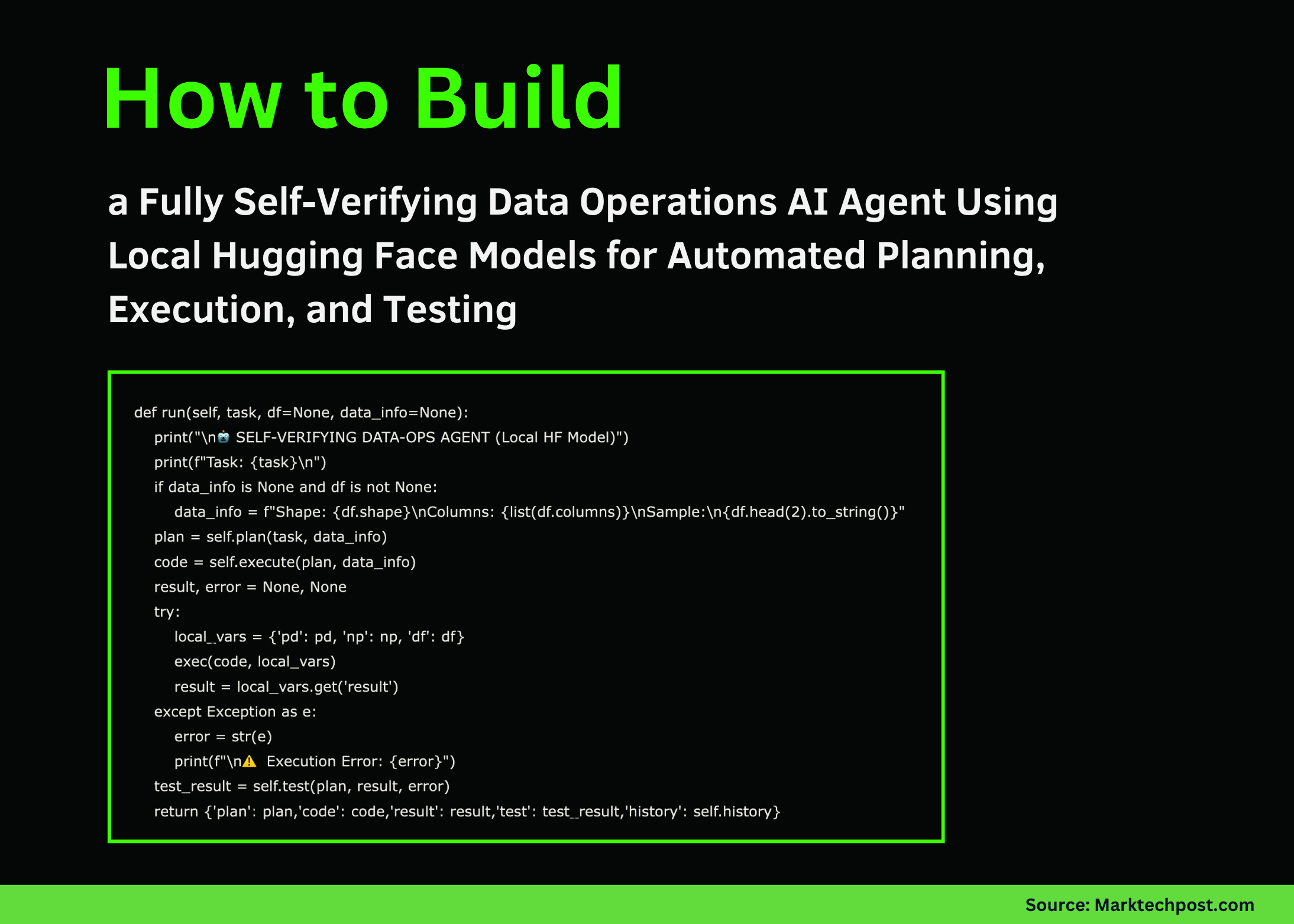
The run method integrates all three phases, accepting a task description and optional dataset. It outputs the plan, generated code, execution result, test summary, and interaction history.
    def run(self, task, df=None, datainfo=None):
        print("n🤖 SELF-VERIFYING DATA-OPS AGENT (Local HF Model)")
        print(f"Task: {task}n")
        if datainfo is None and df is not None:
            datainfo = f"Shape: {df.shape}nColumns: {list(df.columns)}nSample:n{df.head(2).tostring()}"
        plan = self.plan(task, datainfo)
        code = self.execute(plan, datainfo)
        result, error = None, None
        try:
            localvars = {"pd": pd, "np": np, "df": df}
            exec(code, localvars)
            result = localvars.get("result")
        except Exception as e:
            error = str(e)
            print(f"n⚠️  Execution Error: {error}")
        testresult = self.test(plan, result, error)
        return {"plan": plan, "code": code, "result": result, "test": testresult, "history": self.history}
Demonstration Examples
To illustrate the agent’s capabilities, we provide two practical demos using sample datasets:
Demo 1: Aggregating Sales Data
This example calculates total sales grouped by product categories.
def demosalesaggregation(agent):
    print("n" + "#"  60)
    print("# DEMO 1: Sales Data Aggregation")
    print("#"  60)
    df = pd.DataFrame({
        "product": ["X", "Y", "X", "Z", "Y", "X", "Z"],
        "sales": [120, 180, 210, 90, 160, 95, 115],
        "region": ["North", "South", "North", "East", "South", "West", "East"],
    })
    task = "Compute total sales for each product"
    output = agent.run(task, df)
    if output["result"] is not None:
        print(f"n📊 Final Result:n{output['result']}")
    return output
Demo 2: Customer Spending Analysis by Age Group
This scenario analyzes average spending segmented into two age brackets: under 35 and 35 or older.
def democustomerspendanalysis(agent):
    print("n" + "#"  60)
    print("# DEMO 2: Customer Age Group Spend Analysis")
    print("#"  60)
    df = pd.DataFrame({
        "customerid": range(1, 11),
        "age": [27, 36, 44, 22, 58, 39, 30, 42, 53, 33],
        "purchases": [6, 14, 9, 4, 17, 8, 10, 12, 7, 11],
        "spend": [600, 1400, 900, 400, 1700, 800, 1000, 1200, 700, 1100],
    })
    task = "Calculate average spend by age group: young (under 35) and mature (35 and above)"
    output = agent.run(task, df)
    if output["result"] is not None:
        print(f"n📊 Final Result:n{output['result']}")
    return output
Launching the Agent
Below is the entry point to initialize the local LLM and execute the demos. The agent runs entirely on local resources, requiring no external API calls, making it suitable for privacy-sensitive or offline environments.
if name == "main":
    print("🚀 Initializing Local LLM...")
    print("Running in CPU mode for broad compatibilityn")
    try:
        llm = LocalLLM(use8bit=False)
        agent = DataOpsAgent(llm)
        demosalesaggregation(agent)
        print("n")
        democustomerspendanalysis(agent)
        print("n" + "="  60)
        print("✅ Tutorial Complete!")
        print("=" * 60)
        print("nKey Highlights:")
        print("  • Fully local execution with no API dependencies")
        print("  • Utilizes Microsoft's Phi-2 model (2.7B parameters)")
        print("  • Self-verifying three-phase workflow: Plan, Execute, Test")
        print("  • Compatible with free Google Colab CPU/GPU environments")
    except Exception as e:
        print(f"n❌ Error: {e}")
        print("Troubleshooting steps:")
        print("1. Run: pip install -q transformers accelerate scipy bitsandbytes")
        print("2. Restart the runtime environment")
        print("3. Try switching to a different model if issues persist")
Summary and Future Directions
In this tutorial, we constructed a fully autonomous DataOps AI Agent powered by a local Hugging Face model, capable of independently planning, coding, and validating data workflows. This end-to-end automation eliminates reliance on cloud APIs, enhancing data privacy and reproducibility.
The modular design encourages extending this framework to support more sophisticated data pipelines, advanced validation mechanisms, and multi-agent collaboration systems. As local LLMs continue to evolve, such architectures will become increasingly vital for scalable, secure, and efficient data operations.





