

Creating a Custom GPT-Style Chatbot Using a Local Hugging Face Model
This guide walks you through building a personalized GPT-like conversational agent from the ground up, leveraging a lightweight instruction-tuned model hosted locally via Hugging Face. We begin by loading a compact model designed to comprehend and respond to conversational prompts. Then, we embed it within a structured chat framework that manages system instructions, user dialogue history, and assistant replies. Additionally, we incorporate simple built-in utilities that simulate fetching local data or search results to enrich the interaction. By the end, you will have a fully operational chat system that mimics a tailored GPT experience running entirely offline.
Setting Up the Environment and Dependencies
First, ensure your environment is equipped with the necessary Python libraries. We install and import essential packages such as transformers, torch, and sentencepiece, which facilitate working with Hugging Face models and tokenization. This setup is optimized for platforms like Google Colab but can be adapted for local machines with GPU support.
!pip install transformers accelerate sentencepiece --quiet
import torch
from transformers import AutoTokenizer, AutoModelForCausalLM
from typing import List, Tuple, Optional
import textwrap, json, os
Defining Model Parameters and System Behavior
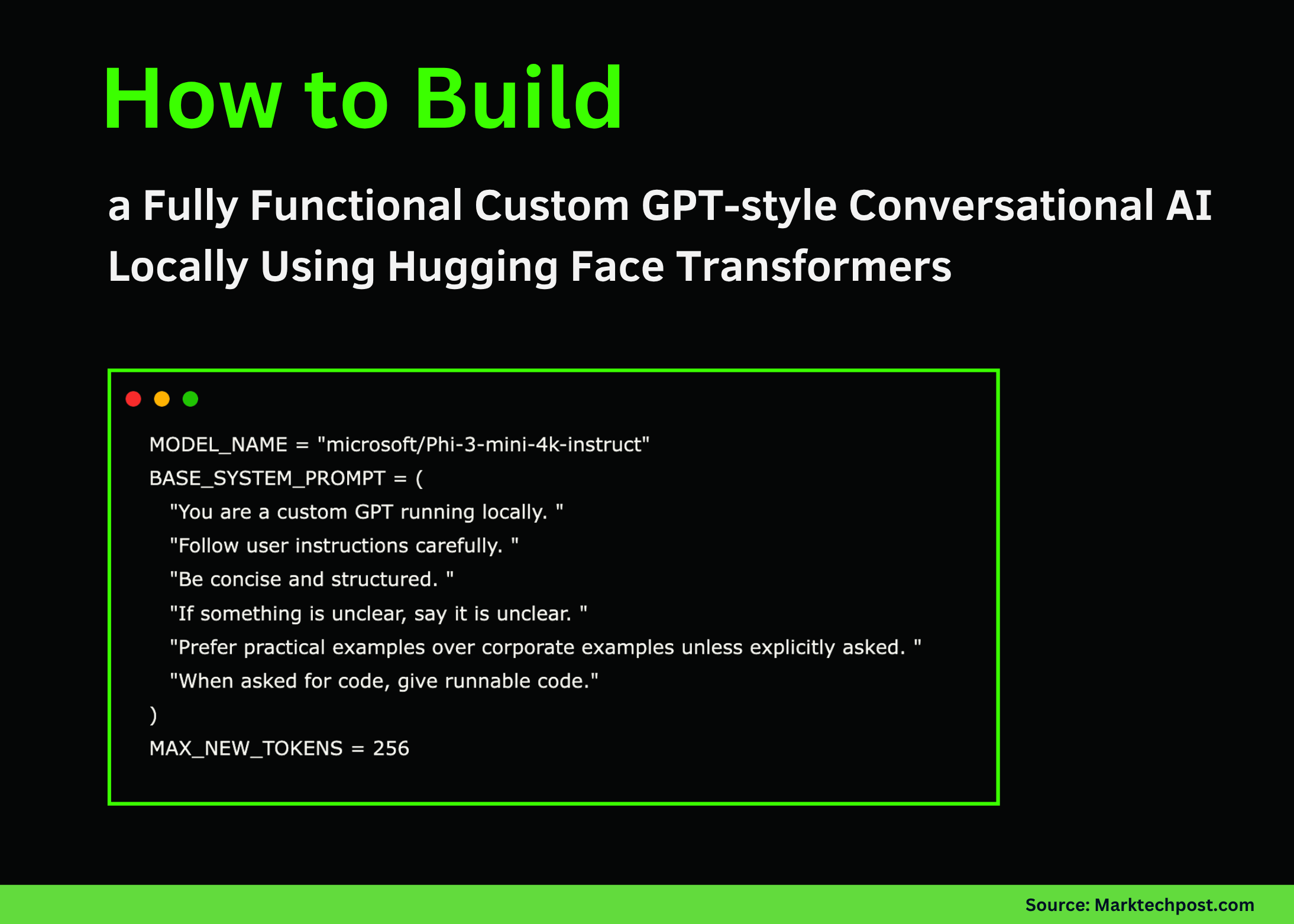
We specify the model identifier and craft a system prompt that guides the assistant’s personality and response style. The prompt instructs the model to be concise, structured, and practical, favoring real-world examples over corporate jargon unless otherwise requested. We also set a maximum token limit for generated replies to balance response length and computational efficiency.
MODELNAME = "microsoft/Phi-3-mini-4k-instruct"
SYSTEMPROMPT = (
    "You are a locally running custom GPT assistant. "
    "Adhere strictly to user instructions. "
    "Keep responses clear and well-organized. "
    "If a query is ambiguous, acknowledge the uncertainty. "
    "Use practical, relatable examples unless specified otherwise. "
    "Provide executable code snippets when coding is requested."
)
MAXTOKENS = 256
Loading the Model and Tokenizer with Hardware Optimization
Next, we load the tokenizer and the causal language model from Hugging Face’s repository. The code automatically detects available hardware, utilizing GPU acceleration if present, or defaults to CPU otherwise. This ensures efficient inference during chat interactions.
print("Initializing model...")
tokenizer = AutoTokenizer.frompretrained(MODELNAME)
if tokenizer.padtokenid is None:
    tokenizer.padtokenid = tokenizer.eostokenid

model = AutoModelForCausalLM.frompretrained(
    MODELNAME,
    torchdtype=torch.float16 if torch.cuda.isavailable() else torch.float32,
    devicemap="auto"
)
model.eval()
print("Model successfully loaded.")
Structuring Conversation History and Prompt Formatting
We maintain a conversation history that tracks exchanges between the system, user, and assistant. A dedicated function formats this history into a prompt string that the model can interpret, preserving the roles and sequence of messages. This structured approach ensures the model comprehends the full context of the dialogue.
ConversationHistory = List[Tuple[str, str]]
history: ConversationHistory = [("system", SYSTEMPROMPT)]

def formattext(text: str, width: int = 100) -> str:
    return "n".join(textwrap.wrap(text, width=width))

def createchatprompt(history: ConversationHistory, userinput: str) -> str:
    segments = []
    for role, content in history:
        if role == "system":
            segments.append(f"<|system|>n{content}n")
        elif role == "user":
            segments.append(f"<|user|>n{content}n")
        elif role == "assistant":
            segments.append(f"<|assistant|>n{content}n")
    segments.append(f"<|user|>n{userinput}n")
    segments.append("<|assistant|>n")
    return "".join(segments)
Integrating Simple Tool Simulations for Enhanced Context
To enrich the assistant’s capabilities, we implement a lightweight tool router that detects special command prefixes in user messages. For example, queries starting with search: or docs: trigger simulated search results or documentation snippets, respectively. This mechanism adds contextual depth without relying on external APIs.
def simulatetools(userinput: str) -> Optional[str]:
    msg = userinput.strip().lower()
    if msg.startswith("search:"):
        query = userinput.split(":", 1)[1].strip()
        return f"Simulated search results for '{query}':n- Insight An- Insight Bn- Insight C"
    if msg.startswith("docs:"):
        topic = userinput.split(":", 1)[1].strip()
        return f"Documentation snippet on '{topic}':n1. Tool orchestration explained.n2. Model output consumption.n3. Memory integration."
    return None
Generating Responses and Managing Conversation Persistence
The core function combines the conversation history, any additional context from simulated tools, and the model inference to produce coherent replies. It also updates the dialogue history accordingly. Supplementary functions allow saving and loading chat histories to JSON files, enabling session persistence across runs.
def generateresponse(history: ConversationHistory, userinput: str) -> str:
    context = simulatetools(userinput)
    if context:
        userinput += f"nnAdditional context:n{context}"
    prompt = createchatprompt(history, userinput)
    inputs = tokenizer(prompt, returntensors="pt").to(model.device)
    with torch.nograd():
        outputids = model.generate(
            **inputs,
            maxnewtokens=MAXTOKENS,
            dosample=True,
            topp=0.9,
            temperature=0.6,
            padtokenid=tokenizer.eostokenid
        )
    decodedtext = tokenizer.decode(outputids[0], skipspecialtokens=True)
    if "<|assistant|>" in decodedtext:
        reply = decodedtext.split("<|assistant|>")[-1].strip()
    else:
        reply = decodedtext[len(prompt):].strip()
    history.append(("user", userinput))
    history.append(("assistant", reply))
    return reply

def savechathistory(history: ConversationHistory, filename: str = "chathistory.json") -> None:
    data = [{"role": role, "content": content} for role, content in history]
    with open(filename, "w") as file:
        json.dump(data, file, indent=2)

def loadchathistory(filename: str = "chathistory.json") -> ConversationHistory:
    if not os.path.exists(filename):
        return [("system", SYSTEMPROMPT)]
    with open(filename, "r") as file:
        data = json.load(file)
    return [(item["role"], item["content"]) for item in data]
Demonstrating the Chatbot and Interactive Session
To validate our setup, we run sample prompts showcasing the assistant’s ability to summarize the system and perform simulated searches. An optional interactive loop allows real-time conversation, where users can type messages and receive instant replies until they choose to exit.
print("n--- Sample Interaction 1 ---")
response1 = generateresponse(history, "List 5 key points about this custom GPT implementation.")
print(formattext(response1))

print("n--- Sample Interaction 2 ---")
response2 = generateresponse(history, "search: agentic AI with local models")
print(formattext(response2))

def startchat():
    print("nChatbot is ready. Type 'exit' to quit.")
    while True:
        try:
            userinput = input("nUser: ").strip()
        except EOFError:
            break
        if userinput.lower() in ("exit", "quit", "q"):
            break
        reply = generateresponse(history, userinput)
        print("nAssistant:n" + formattext(reply))

Uncomment the following line to enable interactive chat
start_chat()

print("nCustom GPT chatbot is up and running locally.")
Summary and Future Directions
In summary, we have constructed a fully functional conversational AI that emulates GPT-style reasoning without depending on cloud services. By orchestrating prompt engineering, lightweight tool simulation, and memory management, this approach offers transparency and flexibility. It empowers developers to experiment with custom behaviors, integrate new tools, and maintain full control over their AI assistant in an offline environment.





