

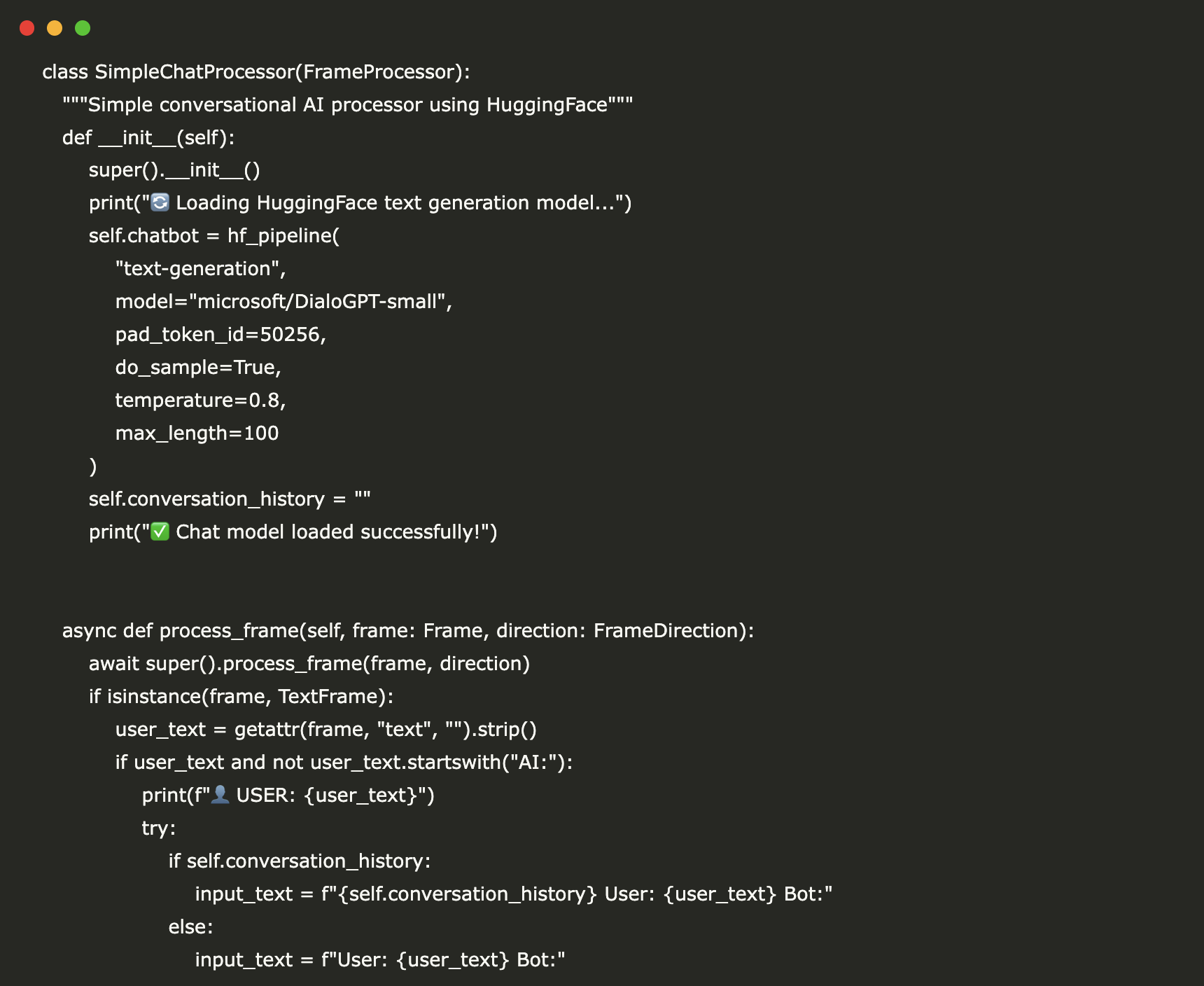
In this guide, we demonstrate how to develop a fully operational conversational AI agent from the ground up using the Pipecat framework. We construct a processing Pipeline that connects custom FrameProcessor classes-one dedicated to managing user inputs and generating replies via a HuggingFace model, and another responsible for formatting and presenting the dialogue flow. Additionally, we create a ConversationInputGenerator to emulate user interactions and utilize PipelineRunner alongside PipelineTask to handle asynchronous data processing. This architecture highlights Pipecat’s frame-based processing capabilities, allowing seamless modular integration of components such as language models, UI display logic, and potential future enhancements like speech recognition modules.
!pip install -q pipecat-ai transformers torch accelerate numpy

import asyncio
import logging
from typing import AsyncGenerator
import numpy as np

print("🔍 Verifying Pipecat frame availability...")

try:
    from pipecat.frames.frames import Frame, TextFrame
    print("✅ Successfully imported core frames")
except ImportError as e:
    print(f"⚠️ Import failed: {e}")
    from pipecat.frames.frames import Frame, TextFrame

from pipecat.pipeline.pipeline import Pipeline
from pipecat.pipeline.runner import PipelineRunner
from pipecat.pipeline.task import PipelineTask
from pipecat.processors.frame_processor import FrameDirection, FrameProcessor

from transformers import pipeline as hf_pipeline
import torch
We start by installing essential packages including Pipecat, Transformers, and PyTorch, then import the necessary modules. This setup brings in Pipecat’s core classes such as Pipeline, PipelineRunner, and FrameProcessor, alongside HuggingFace’s pipeline API for text generation, preparing the environment for building and running our conversational AI agent efficiently.
class ConversationalAIProcessor(FrameProcessor):
    """Conversational AI handler leveraging HuggingFace's DialoGPT model"""
    def __init__(self):
        super().__init__()
        print("🔄 Initializing HuggingFace text generation model...")
        self.chat_model = hf_pipeline(
            "text-generation",
            model="microsoft/DialoGPT-small",
            pad_token_id=50256,
            do_sample=True,
            temperature=0.8,
            max_length=100
        )
        self.history = ""
        print("✅ Model loaded and ready!")

    async def process_frame(self, frame: Frame, direction: FrameDirection):
        await super().process_frame(frame, direction)
        if isinstance(frame, TextFrame):
            user_input = getattr(frame, "text", "").strip()
            if user_input and not user_input.startswith("AI:"):
                print(f"👤 USER: {user_input}")
                try:
                    prompt = f"{self.history} User: {user_input} Bot:" if self.history else f"User: {user_input} Bot:"
                    response = self.chat_model(
                        prompt,
                        max_new_tokens=50,
                        num_return_sequences=1,
                        temperature=0.7,
                        do_sample=True,
                        pad_token_id=self.chat_model.tokenizer.eos_token_id
                    )
                    generated = response[0]["generated_text"]
                    if "Bot:" in generated:
                        reply = generated.split("Bot:")[-1].split("User:")[0].strip()
                        if not reply:
                            reply = "That's fascinating! Could you elaborate?"
                    else:
                        reply = "I'd love to hear more about that!"

                    self.history = f"{prompt} {reply}"
                    await self.push_frame(TextFrame(text=f"AI: {reply}"), direction)
                except Exception as e:
                    print(f"⚠️ Error during chat processing: {e}")
                    await self.push_frame(TextFrame(text="AI: Sorry, I didn't catch that. Could you rephrase?"), direction)
        else:
            await self.push_frame(frame, direction)
The ConversationalAIProcessor class loads the HuggingFace DialoGPT-small model to generate text responses, maintaining a conversation history to provide context. Upon receiving a TextFrame, it processes the user’s input, generates a reply, cleans the output, and forwards it through the Pipecat pipeline. This approach enables the AI agent to sustain coherent, multi-turn conversations dynamically.
class DialogueDisplayProcessor(FrameProcessor):
    """Formats and outputs conversation text frames"""
    def __init__(self):
        super().__init__()
        self.exchange_counter = 0

    async def process_frame(self, frame: Frame, direction: FrameDirection):
        await super().process_frame(frame, direction)
        if isinstance(frame, TextFrame):
            content = getattr(frame, "text", "")
            if content.startswith("AI:"):
                print(f"🤖 {content}")
                self.exchange_counter += 1
                print(f"    💬 Conversation turn {self.exchange_counter} completed")
        await self.push_frame(frame, direction)


class DemoConversationGenerator:
    """Simulates a series of user inputs for demonstration"""
    def __init__(self):
        self.sample_dialogue = [
            "Hi there! How's your day going?",
            "What topics do you enjoy discussing?",
            "Can you share an intriguing fact about AI?",
            "What do you find most engaging in conversations?",
            "Thanks for chatting with me!"
        ]

    async def generate_inputs(self) -> AsyncGenerator[TextFrame, None]:
        print("🎭 Starting simulated conversation...n")
        for idx, message in enumerate(self.sample_dialogue):
            yield TextFrame(text=message)
            if idx
The DialogueDisplayProcessor class is responsible for presenting AI-generated text in a clear conversational style, tracking the number of exchanges. Meanwhile, DemoConversationGenerator mimics user input by yielding a sequence of TextFrame messages with brief pauses, creating a natural dialogue flow for demonstration purposes.
class PipecatChatAgent:
    """Comprehensive conversational AI agent built with Pipecat"""
    def __init__(self):
        self.chat_processor = ConversationalAIProcessor()
        self.display_processor = DialogueDisplayProcessor()
        self.input_generator = DemoConversationGenerator()

    def build_pipeline(self) -> Pipeline:
        return Pipeline([self.chat_processor, self.display_processor])

    async def execute_demo(self):
        print("🚀 Launching Pipecat Conversational AI Demo")
        print("🎯 Powered by HuggingFace DialoGPT")
        print("=" * 50)

        pipeline = self.build_pipeline()
        runner = PipelineRunner()
        task = PipelineTask(pipeline)

        async def feed_inputs():
            async for frame in self.input_generator.generate_inputs():
                await task.queue_frame(frame)
            await task.stop_when_done()

        try:
            print("🎬 Running the conversation simulation...n")
            await asyncio.gather(
                runner.run(task),
                feed_inputs(),
            )
        except Exception as e:
            print(f"❌ Demo encountered an error: {e}")
            logging.error(f"Pipeline execution error: {e}")

        print("✅ Demo finished successfully!")
The PipecatChatAgent class integrates the chat and display processors with the input generator into a unified Pipecat Pipeline. The execute_demo method initiates the PipelineRunner to asynchronously process frames while feeding simulated user inputs, enabling real-time conversational interaction and output display.
async def main():
    logging.basicConfig(level=logging.INFO)
    print("🎯 Pipecat Conversational AI Tutorial")
    print("📱 Compatible with Google Colab")
    print("🤖 Utilizes free HuggingFace models")
    print("🔧 Simple, functional implementation")
    print("=" * 60)
    try:
        agent = PipecatChatAgent()
        await agent.execute_demo()
        print("n🎉 Tutorial completed successfully!")
        print("n📚 Summary of what you experienced:")
        print("✔ Pipecat pipeline architecture in action")
        print("✔ Custom FrameProcessor implementations")
        print("✔ Integration with HuggingFace conversational AI")
        print("✔ Real-time asynchronous text processing")
        print("✔ Modular and extensible design principles")
        print("n🚀 Suggested next steps:")
        print("• Incorporate live speech-to-text input")
        print("• Add text-to-speech output capabilities")
        print("• Upgrade to more advanced language models")
        print("• Implement memory and context management")
        print("• Deploy as a scalable web service")
    except Exception as e:
        print(f"❌ Tutorial failed: {e}")
        import traceback
        traceback.print_exc()

try:
    import google.colab
    print("🌐 Google Colab environment detected - ready to run!")
    ENVIRONMENT = "colab"
except ImportError:
    print("💻 Local environment detected")
    ENVIRONMENT = "local"

print("n" + "="*60)
print("🎬 READY TO RUN!")
print("Execute this script to start the AI conversation demo")
print("="*60)

print("n🚀 Starting the AI Agent Demo...")

await main()
The main function sets up logging, initializes the PipecatChatAgent, and runs the demo while providing informative progress updates. It also detects whether the code is running in a Google Colab or local environment, displaying relevant information before launching the full conversational AI pipeline.
To summarize, this implementation delivers a functional conversational AI agent where user inputs-simulated as text frames-are processed through a modular pipeline. The HuggingFace DialoGPT model generates context-aware responses, which are then formatted and displayed in a structured dialogue format. This example illustrates Pipecat's strengths in asynchronous processing, stateful conversation management, and clean separation of processing concerns. Building on this foundation, developers can extend the system with advanced features like real-time speech recognition, speech synthesis, persistent context memory, or integration with more sophisticated language models, all while maintaining a flexible and maintainable codebase.





