In this tutorial, we’ll explore the new capabilities introduced in OpenAI’s latest model, GPT-5. The update brings several powerful features, including the Verbosity parameter, Free-form Function Calling, Context-Free Grammar (CFG), and Minimal Reasoning. We’ll look at what they do and how to use them in practice. Check out the .
Installing the libraries
!pip install pandas openaiTo get an OpenAI API key, visit and generate a new key. If you’re a new user, you may need to add billing details and make a minimum payment of $5 to activate API access. Check out the .
import os
from getpass import getpass
os.environ['OPENAI_API_KEY'] = getpass('Enter OpenAI API Key: ')
Verbosity Parameter
The Verbosity parameter lets you control how detailed the model’s replies are without changing your prompt.
- low → Short and concise, minimal extra text.
- medium (default) → Balanced detail and clarity.
- high → Very detailed, ideal for explanations, audits, or teaching. Check out the .
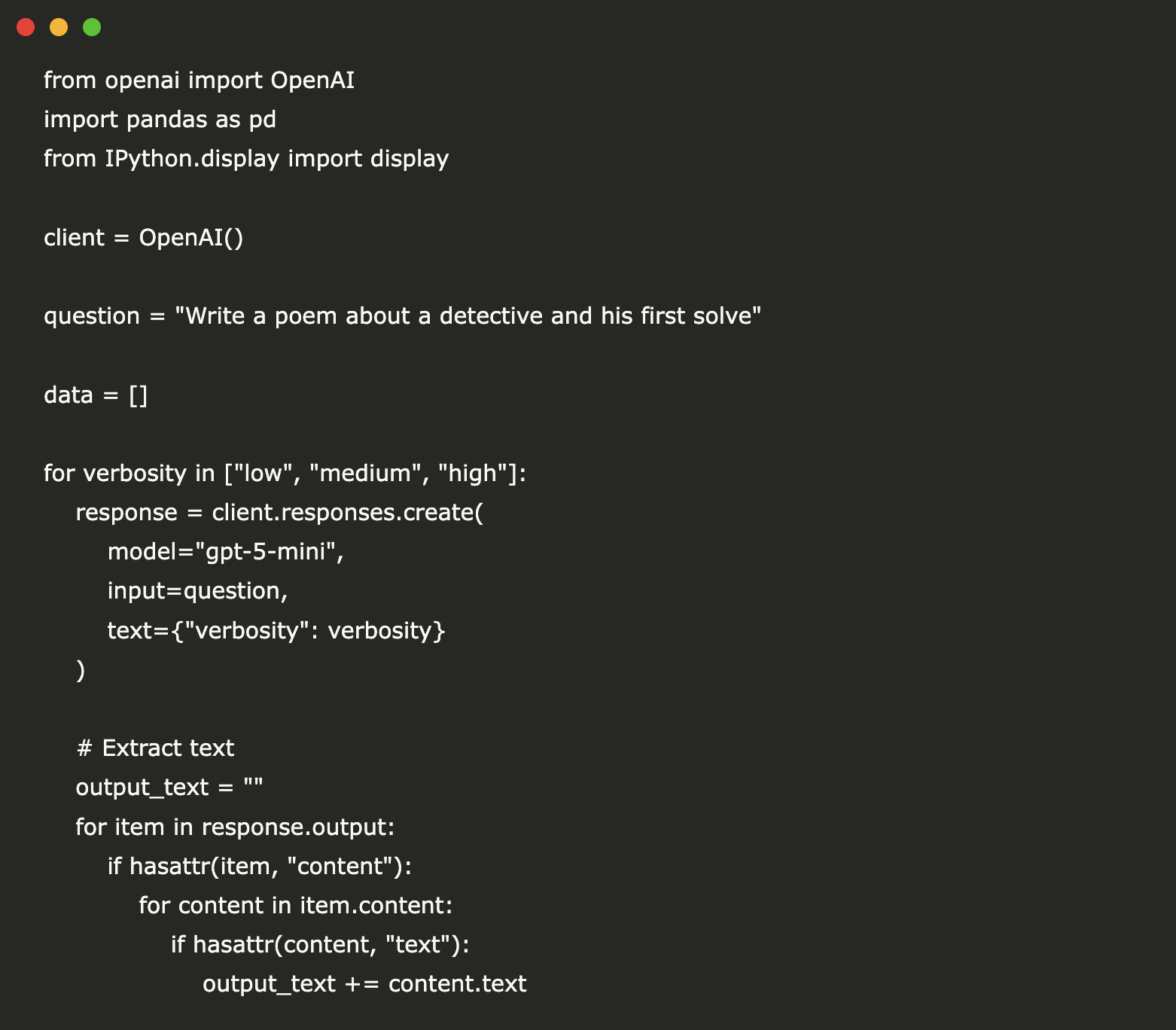
from openai import OpenAI
import pandas as pd
from IPython.display import display

client = OpenAI()

question = "Write a poem about a detective and his first solve"

data = []

for verbosity in ["low", "medium", "high"]:
    response = client.responses.create(
        model="gpt-5-mini",
        input=question,
        text={"verbosity": verbosity}
    )

    # Extract text
    output_text = ""
    for item in response.output:
        if hasattr(item, "content"):
            for content in item.content:
                if hasattr(content, "text"):
                    output_text += content.text

    usage = response.usage
    data.append({
        "Verbosity": verbosity,
        "Sample Output": output_text,
        "Output Tokens": usage.output_tokens
    })
# Create DataFrame
df = pd.DataFrame(data)
# Display nicely with centered headers
pd.set_option('display.max_colwidth', None)
styled_df = df.style.set_table_styles(
[
{'selector': 'th', 'props': [('text-align', 'center')]}, # Center column headers
{'selector': 'td', 'props': [('text-align', 'left')]} # Left-align table cells
]
)
display(styled_df)The output tokens scale roughly linearly with verbosity: low (731) → medium (1017) → high (1263).
Free-Form Function Calling
Free-form function calling lets GPT-5 send raw text payloads—like Python scripts, SQL queries, or shell commands—directly to your tool, without the JSON formatting used in GPT-4. Check out the .
This makes it easier to connect GPT-5 to external runtimes such as:
- Code sandboxes (Python, C++, Java, etc.)
- SQL databases (outputs raw SQL directly)
- Shell environments (outputs ready-to-run Bash)
- Config generators
from openai import OpenAI

client = OpenAI()

response = client.responses.create(
    model="gpt-5-mini",
    input="Please use the code_exec tool to calculate the cube of the number of vowels in the word 'pineapple'",
    text={"format": {"type": "text"}},
    tools=[
        {
            "type": "custom",
            "name": "code_exec",
            "description": "Executes arbitrary python code",
        }
    ]
)
print(response.output[1].input)

This output shows GPT-5 generating raw Python code that counts the vowels in the word pineapple, calculates the cube of that count, and prints both values. Instead of returning a structured JSON object (like GPT-4 typically would for tool calls), GPT-5 delivers plain executable code. This makes it possible to feed the result directly into a Python runtime without extra parsing.
Context-Free Grammar (CFG)
A Context-Free Grammar (CFG) is a set of production rules that define valid strings in a language. Each rule rewrites a non-terminal symbol into terminals and/or other non-terminals, without depending on the surrounding context.
CFGs are useful when you want to strictly constrain the model’s output so it always follows the syntax of a programming language, data format, or other structured text — for example, ensuring generated SQL, JSON, or code is always syntactically correct.
For comparison, we’ll run the same script using GPT-4 and GPT-5 with an identical CFG to see how both models adhere to the grammar rules and how their outputs differ in accuracy and speed. Check out the .
from openai import OpenAI
import re

client = OpenAI()

email_regex = r"^[A-Za-z0-9._%+-]+@[A-Za-z0-9.-]+.[A-Za-z]{2,}$"

prompt = "Give me a valid email address for John Doe. It can be a dummy email"

# No grammar constraints -- model might give prose or invalid format
response = client.responses.create(
    model="gpt-4o",  # or earlier
    input=prompt
)

output = response.output_text.strip()
print("GPT Output:", output)
print("Valid?", bool(re.match(email_regex, output)))

from openai import OpenAI

client = OpenAI()

email_regex = r"^[A-Za-z0-9._%+-]+@[A-Za-z0-9.-]+.[A-Za-z]{2,}$"

prompt = "Give me a valid email address for John Doe. It can be a dummy email"

response = client.responses.create(
    model="gpt-5",  # grammar-constrained model
    input=prompt,
    text={"format": {"type": "text"}},
    tools=[
        {
            "type": "custom",
            "name": "email_grammar",
            "description": "Outputs a valid email address.",
            "format": {
                "type": "grammar",
                "syntax": "regex",
                "definition": email_regex
            }
        }
    ],
    parallel_tool_calls=False
)

print("GPT-5 Output:", response.output[1].input)

This example shows how GPT-5 can adhere more closely to a specified format when using a Context-Free Grammar.
With the same grammar rules, GPT-4 produced extra text around the email address (“Sure, here’s a test email you can use for John Doe: johndoe@example.com”), which makes it invalid according to the strict format requirement.
GPT-5, however, output exactly john.doe@example.com, matching the grammar and passing validation. This demonstrates GPT-5’s improved ability to follow CFG constraints precisely. Check out the .
Minimal Reasoning
Minimal reasoning mode runs GPT-5 with very few or no reasoning tokens, reducing latency and delivering a faster time-to-first-token.
It’s ideal for deterministic, lightweight tasks such as:
- Data extraction
- Formatting
- Short rewrites
- Simple classification
Because the model skips most intermediate reasoning steps, responses are quick and concise. If not specified, the reasoning effort defaults to medium. Check out the .
import time
from openai import OpenAI

client = OpenAI()

prompt = "Classify the given number as odd or even. Return one word only."

start_time = time.time()  # Start timer

response = client.responses.create(
    model="gpt-5",
    input=[
        { "role": "developer", "content": prompt },
        { "role": "user", "content": "57" }
    ],
    reasoning={
        "effort": "minimal"  # Faster time-to-first-token
    },
)

latency = time.time() - start_time  # End timer

# Extract model's text output
output_text = ""
for item in response.output:
    if hasattr(item, "content"):
        for content in item.content:
            if hasattr(content, "text"):
                output_text += content.text

print("--------------------------------")
print("Output:", output_text)
print(f"Latency: {latency:.3f} seconds")
Check out the . Feel free to check out our . Also, feel free to follow us on and don’t forget to join our and Subscribe to .