

Image: Firefox
With the release of Firefox version 138 in April, a novel feature powered by artificial intelligence was introduced, though it remains disabled by default. This innovative tool offers users a compact preview of the webpage linked by any hyperlink before they decide to visit it.
This AI-driven preview appears as a popup, analyzing the linked page’s content to provide a concise summary. Such functionality is particularly useful for enhancing online safety, helping users steer clear of phishing attempts, scams, and malicious websites. Importantly, Mozilla has emphasized that this AI operates entirely on the user’s device, ensuring privacy by avoiding any cloud-based data processing.
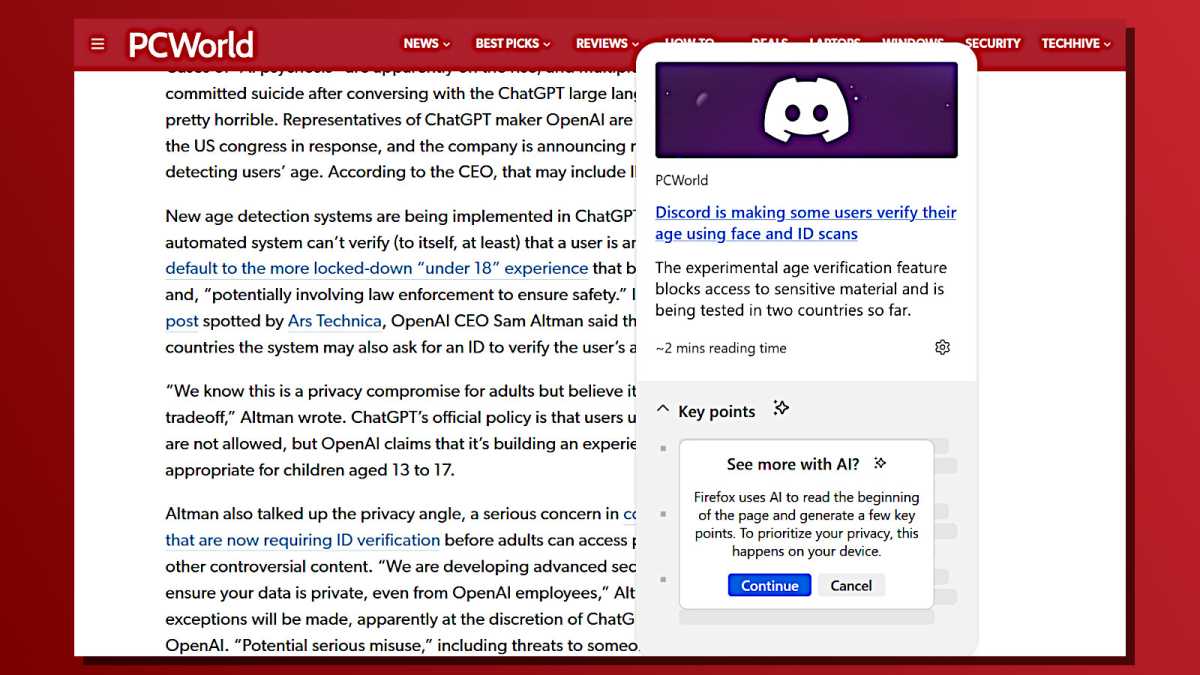
To activate this feature, open Firefox and enter about:config in the address bar. After acknowledging the security warning by selecting “Accept the risk and continue,” use the search bar to find the setting named browser.ml.linkPreview.enabled. Toggle this option to “true” if it is not already enabled, then restart your browser to apply the changes.
Once enabled, you can access the AI link preview in two ways: either by holding down the Shift key while hovering over a link or by clicking and holding the link itself. Firefox will then generate a preview window with a brief AI-crafted summary of the linked page. Although the process might take a few moments, the added layer of security and convenience makes it worthwhile.
As of 2024, this feature represents a growing trend in browser security enhancements, with other browsers exploring similar AI-assisted tools to improve user experience and safety online.

