
Mastering Efficient Large Language Model Training with DeepSpeed
This comprehensive guide dives into state-of-the-art optimization strategies for training large-scale language models effectively, even within limited computational resources like Google Colab. By integrating ZeRO optimization, mixed-precision (FP16) training, gradient accumulation, and sophisticated DeepSpeed configurations, we unlock superior GPU memory utilization, minimize training overhead, and enable scalable transformer model training.
Setting Up the Environment for Seamless Model Development
We begin by preparing the Colab environment, installing PyTorch with CUDA support, DeepSpeed, and essential libraries such as Transformers, Datasets, Accelerate, and Weights & Biases. This setup ensures a smooth workflow for building and training models optimized with DeepSpeed.
import subprocess
import sys

def install_required_packages():
    print("🚀 Installing DeepSpeed and dependencies...")
    subprocess.check_call([sys.executable, "-m", "pip", "install",
                           "torch", "torchvision", "torchaudio", "--index-url",
                           "https://download.pytorch.org/whl/cu118"])
    subprocess.check_call([sys.executable, "-m", "pip", "install", "deepspeed"])
    subprocess.check_call([sys.executable, "-m", "pip", "install",
                           "transformers", "datasets", "accelerate", "wandb"])
    print("✅ Installation completed!")
Creating a Synthetic Dataset for Rapid Prototyping
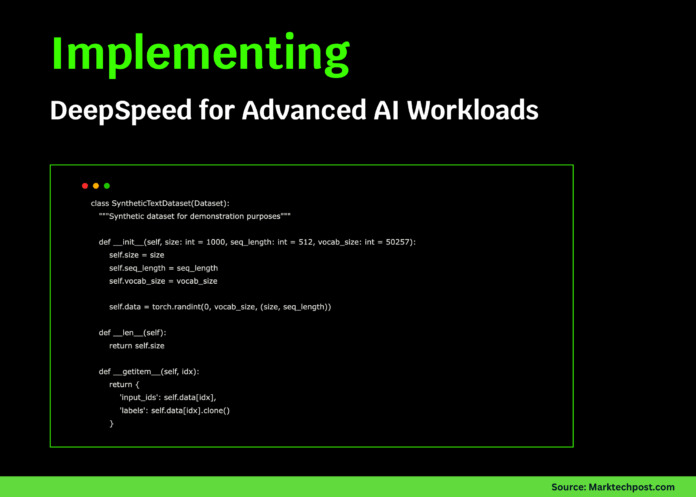
To facilitate quick experimentation without relying on large external datasets, we generate a synthetic text dataset. This dataset produces random token sequences that simulate real text inputs and labels, enabling efficient testing of DeepSpeed’s training capabilities.
import torch
from torch.utils.data import Dataset

class SyntheticTextDataset(Dataset):
    """Generates random token sequences for training simulation."""

    def __init__(self, num_samples=1000, sequence_length=512, vocab_size=50257):
        self.num_samples = num_samples
        self.sequence_length = sequence_length
        self.vocab_size = vocab_size
        self.data = torch.randint(0, vocab_size, (num_samples, sequence_length))

    def __len__(self):
        return self.num_samples

    def __getitem__(self, idx):
        tokens = self.data[idx]
        return {'input_ids': tokens, 'labels': tokens.clone()}
Building an Advanced DeepSpeed Trainer Class
We encapsulate the training logic within a robust trainer class that constructs a GPT-2 style model, configures DeepSpeed with ZeRO optimization, FP16 mixed precision, AdamW optimizer, learning rate warmup, and TensorBoard logging. This class handles model initialization, training steps with gradient accumulation, memory monitoring, checkpointing, and inference demonstration.
import deepspeed
from transformers import GPT2Config, GPT2LMHeadModel, GPT2Tokenizer
import torch
import time
from typing import Dict, Any
import argparse

class DeepSpeedGPT2Trainer:
    def __init__(self, model_params: Dict[str, Any], ds_params: Dict[str, Any]):
        self.model_params = model_params
        self.ds_params = ds_params
        self.model = None
        self.engine = None
        self.tokenizer = None

    def build_model(self):
        print("🧠 Initializing GPT-2 model...")
        config = GPT2Config(
            vocab_size=self.model_params['vocab_size'],
            n_positions=self.model_params['seq_length'],
            n_embd=self.model_params['hidden_size'],
            n_layer=self.model_params['num_layers'],
            n_head=self.model_params['num_heads'],
            resid_pdrop=0.1,
            embd_pdrop=0.1,
            attn_pdrop=0.1,
        )
        self.model = GPT2LMHeadModel(config)
        self.tokenizer = GPT2Tokenizer.from_pretrained('gpt2')
        self.tokenizer.pad_token = self.tokenizer.eos_token
        total_params = sum(p.numel() for p in self.model.parameters())
        print(f"📊 Model contains {total_params:,} parameters.")
        return self.model

    def get_deepspeed_config(self):
        config = {
            "train_batch_size": self.ds_params['train_batch_size'],
            "train_micro_batch_size_per_gpu": self.ds_params['micro_batch_size'],
            "gradient_accumulation_steps": self.ds_params['gradient_accumulation_steps'],
            "zero_optimization": {
                "stage": self.ds_params['zero_stage'],
                "allgather_partitions": True,
                "allgather_bucket_size": 5e8,
                "overlap_comm": True,
                "reduce_scatter": True,
                "reduce_bucket_size": 5e8,
                "contiguous_gradients": True,
                "cpu_offload": self.ds_params.get('cpu_offload', False)
            },
            "fp16": {
                "enabled": True,
                "loss_scale": 0,
                "loss_scale_window": 1000,
                "initial_scale_power": 16,
                "hysteresis": 2,
                "min_loss_scale": 1
            },
            "optimizer": {
                "type": "AdamW",
                "params": {
                    "lr": self.ds_params['learning_rate'],
                    "betas": [0.9, 0.999],
                    "eps": 1e-8,
                    "weight_decay": 0.01
                }
            },
            "scheduler": {
                "type": "WarmupLR",
                "params": {
                    "warmup_min_lr": 0,
                    "warmup_max_lr": self.ds_params['learning_rate'],
                    "warmup_num_steps": 100
                }
            },
            "gradient_clipping": 1.0,
            "wall_clock_breakdown": True,
            "memory_breakdown": True,
            "tensorboard": {
                "enabled": True,
                "output_path": "./logs/",
                "job_name": "deepspeed_gpt2_training"
            }
        }
        return config

    def initialize_engine(self):
        print("⚡ Launching DeepSpeed engine...")
        parser = argparse.ArgumentParser()
        parser.add_argument('--local_rank', type=int, default=0)
        args = parser.parse_args([])
        self.engine, _, _, _ = deepspeed.initialize(
            args=args,
            model=self.model,
            config=self.get_deepspeed_config()
        )
        print(f"🎯 DeepSpeed engine ready with ZeRO stage {self.ds_params['zero_stage']}.")
        return self.engine

    def train_step(self, batch: Dict[str, torch.Tensor]) -> Dict[str, float]:
        inputs = batch['input_ids'].to(self.engine.device)
        labels = batch['labels'].to(self.engine.device)
        outputs = self.engine(inputs, labels=labels)
        loss = outputs.loss
        self.engine.backward(loss)
        self.engine.step()
        lr = self.engine.lr_scheduler.get_last_lr()[0] if self.engine.lr_scheduler else 0
        return {'loss': loss.item(), 'lr': lr}

    def train(self, dataloader, epochs=2):
        print(f"🏋️ Starting training for {epochs} epochs...")
        self.engine.train()
        for epoch in range(epochs):
            epoch_loss = 0.0
            steps = 0
            print(f"n📈 Epoch {epoch + 1}/{epochs}")
            for step, batch in enumerate(dataloader):
                start = time.time()
                metrics = self.train_step(batch)
                epoch_loss += metrics['loss']
                steps += 1
                if step % 10 == 0:
                    elapsed = time.time() - start
                    print(f"  Step {step:4d} | Loss: {metrics['loss']:.4f} | LR: {metrics['lr']:.2e} | Time: {elapsed:.3f}s")
                if step >= 50:
                    break
            avg_loss = epoch_loss / steps
            print(f"📊 Epoch {epoch + 1} complete | Avg Loss: {avg_loss:.4f}")
        print("🎉 Training finished!")

    def log_gpu_memory(self):
        if torch.cuda.is_available():
            allocated = torch.cuda.memory_allocated() / 1e9
            reserved = torch.cuda.memory_reserved() / 1e9
            print(f"💾 GPU Memory - Allocated: {allocated:.2f} GB | Reserved: {reserved:.2f} GB")

    def save_checkpoint(self, directory: str):
        print(f"💾 Saving checkpoint at {directory}")
        self.engine.save_checkpoint(directory)

    def run_inference(self, prompt: str = "The future of AI is"):
        print(f"n🔮 Generating text for prompt: '{prompt}'")
        inputs = self.tokenizer.encode(prompt, return_tensors='pt').to(self.engine.device)
        self.engine.eval()
        with torch.no_grad():
            outputs = self.engine.module.generate(
                inputs,
                max_length=inputs.shape[1] + 50,
                temperature=0.8,
                do_sample=True,
                pad_token_id=self.tokenizer.eos_token_id
            )
        generated = self.tokenizer.decode(outputs[0], skip_special_tokens=True)
        print(f"📝 Generated text: {generated}")
        self.engine.train()
Executing the Full Training Pipeline
We orchestrate the entire training process: defining model and DeepSpeed configurations, building the GPT-2 model, initializing the DeepSpeed engine, creating a synthetic dataset, monitoring GPU memory usage, training for two epochs, performing inference, and saving checkpoints. This end-to-end flow demonstrates practical application of DeepSpeed’s optimization features.
from torch.utils.data import DataLoader
import numpy as np

def execute_training_workflow():
    print("🌟 Starting DeepSpeed training workflow...")
    model_cfg = {
        'vocab_size': 50257,
        'seq_length': 512,
        'hidden_size': 768,
        'num_layers': 6,
        'num_heads': 12
    }
    ds_cfg = {
        'train_batch_size': 16,
        'micro_batch_size': 4,
        'gradient_accumulation_steps': 4,
        'zero_stage': 2,
        'learning_rate': 1e-4,
        'cpu_offload': False
    }
    print("📋 Configuration Summary:")
    approx_params = (model_cfg['vocab_size'] * model_cfg['hidden_size'] +
                     model_cfg['hidden_size'] * model_cfg['hidden_size'] * model_cfg['num_layers'])
    print(f"  Model size: ~{approx_params / 1e6:.1f}M parameters")
    print(f"  ZeRO Optimization Stage: {ds_cfg['zero_stage']}")
    print(f"  Total batch size: {ds_cfg['train_batch_size']}")

    trainer = DeepSpeedGPT2Trainer(model_cfg, ds_cfg)
    trainer.build_model()
    trainer.initialize_engine()

    print("n📚 Generating synthetic dataset...")
    dataset = SyntheticTextDataset(num_samples=200, sequence_length=model_cfg['seq_length'], vocab_size=model_cfg['vocab_size'])
    dataloader = DataLoader(dataset, batch_size=ds_cfg['micro_batch_size'], shuffle=True)

    print("n📊 GPU memory before training:")
    trainer.log_gpu_memory()

    trainer.train(dataloader, epochs=2)

    print("n📊 GPU memory after training:")
    trainer.log_gpu_memory()

    trainer.run_inference("DeepSpeed enables efficient training of")

    checkpoint_dir = "./deepspeed_checkpoint"
    trainer.save_checkpoint(checkpoint_dir)

    explain_zero_optimization_stages()
    highlight_memory_saving_methods()

    print("n🎯 Training workflow completed successfully!")
    print("Key DeepSpeed capabilities demonstrated:")
    print("  ✅ ZeRO optimization for memory efficiency")
    print("  ✅ Mixed precision (FP16) training")
    print("  ✅ Gradient accumulation")
    print("  ✅ Learning rate warmup scheduling")
    print("  ✅ Checkpointing and recovery")
    print("  ✅ Real-time GPU memory monitoring")
Understanding ZeRO Optimization Levels
ZeRO (Zero Redundancy Optimizer) is a pivotal technique in DeepSpeed that partitions model states to drastically reduce memory consumption. Here’s a breakdown of its stages:
- Stage 0: No optimization; baseline memory usage.
- Stage 1: Partitions optimizer states, achieving roughly 4x memory savings.
- Stage 2: Adds gradient partitioning, doubling memory reduction to about 8x.
- Stage 3: Further partitions model parameters, enabling near-linear memory scaling.
def explain_zero_optimization_stages():
    print("n🔧 ZeRO Optimization Stages Overview:")
    stages = {
        0: "Baseline (no ZeRO)",
        1: "Optimizer state partitioning (~4x memory reduction)",
        2: "Gradient partitioning (~8x memory reduction)",
        3: "Parameter partitioning (near-linear scaling)"
    }
    for stage, desc in stages.items():
        print(f"  📊 Stage {stage}: {desc}")
Memory Optimization Strategies Beyond ZeRO
To further enhance training efficiency, DeepSpeed incorporates several memory-saving techniques:
- Gradient Checkpointing: Saves memory by recomputing intermediate activations during backpropagation, trading compute for memory.
- CPU Offloading: Moves optimizer states and gradients to CPU memory, freeing GPU resources.
- Communication Compression: Reduces bandwidth during distributed training by compressing gradients.
- Mixed Precision Training: Utilizes FP16 to accelerate training and reduce memory footprint.
def highlight_memory_saving_methods():
    print("n🧠 Memory Optimization Techniques:")
    print("  🔄 Gradient Checkpointing: Recompute activations to save memory")
    print("  🖥️ CPU Offloading: Shift optimizer states to CPU RAM")
    print("  📉 Communication Compression: Lower communication overhead")
    print("  ⚡ Mixed Precision (FP16): Faster and more memory-efficient training")
Benchmarking ZeRO Stages for Performance Insights
To quantify the benefits of different ZeRO stages, we benchmark memory usage and training speed on a smaller GPT-2 model variant. This helps identify the optimal trade-off between resource consumption and throughput.
def benchmark_zero_stages():
    print("n🏁 Benchmarking ZeRO Optimization Stages...")
    model_cfg = {
        'vocab_size': 50257,
        'seq_length': 256,
        'hidden_size': 512,
        'num_layers': 4,
        'num_heads': 8
    }
    results = {}
    for stage in [1, 2]:
        print(f"n🔬 Testing ZeRO Stage {stage}...")
        ds_cfg = {
            'train_batch_size': 8,
            'micro_batch_size': 2,
            'gradient_accumulation_steps': 4,
            'zero_stage': stage,
            'learning_rate': 1e-4
        }
        try:
            trainer = DeepSpeedGPT2Trainer(model_cfg, ds_cfg)
            trainer.build_model()
            trainer.initialize_engine()
            if torch.cuda.is_available():
                torch.cuda.reset_peak_memory_stats()
                dataset = SyntheticTextDataset(num_samples=20, sequence_length=model_cfg['seq_length'])
                dataloader = DataLoader(dataset, batch_size=ds_cfg['micro_batch_size'])
                start = time.time()
                for i, batch in enumerate(dataloader):
                    if i >= 5:
                        break
                    trainer.train_step(batch)
                end = time.time()
                peak_mem = torch.cuda.max_memory_allocated() / 1e9
                results[stage] = {'peak_memory_gb': peak_mem, 'time_per_step': (end - start) / 5}
                print(f"  📊 Peak Memory: {peak_mem:.2f} GB")
                print(f"  ⏱️ Time per step: {results[stage]['time_per_step']:.3f} seconds")
            del trainer
            torch.cuda.empty_cache()
        except Exception as e:
            print(f"  ❌ Error during Stage {stage} benchmark: {e}")

    if len(results) == 2:
        mem_reduction = (results[1]['peak_memory_gb'] - results[2]['peak_memory_gb']) / results[1]['peak_memory_gb'] * 100
        print(f"n📈 Memory reduction from Stage 1 to Stage 2: {mem_reduction:.1f}%")
Exploring Additional DeepSpeed Capabilities
Beyond core optimizations, DeepSpeed offers advanced features to further accelerate and scale training:
- Dynamic Loss Scaling: Automatically adjusts FP16 loss scaling to maintain numerical stability.
- Gradient Compression: Minimizes communication overhead in distributed setups.
- Pipeline Parallelism: Splits model layers across multiple devices for efficient scaling.
- Expert Parallelism: Enables efficient training of Mixture-of-Experts models.
- Curriculum Learning: Implements progressive training strategies to improve convergence.
def showcase_advanced_features():
    print("n🚀 Advanced DeepSpeed Features:")
    print("  🎛️ Dynamic Loss Scaling: Adaptive FP16 loss scaling")
    print("  📉 Gradient Compression: Efficient communication")
    print("  🔀 Pipeline Parallelism: Distribute model layers across GPUs")
    print("  🤖 Expert Parallelism: Scalable Mixture-of-Experts training")
    print("  📚 Curriculum Learning: Progressive training schedules")
Running the Tutorial with CUDA Detection and Troubleshooting
Before launching the tutorial, we verify CUDA availability and GPU details to ensure compatibility. The tutorial includes error handling and practical advice for common issues such as memory constraints or runtime configuration.
if __name__ == "__main__":
    import torch
    print(f"🖥️ CUDA Available: {torch.cuda.is_available()}")
    if torch.cuda.is_available():
        print(f"   GPU: {torch.cuda.get_device_name()}")
        print(f"   Total Memory: {torch.cuda.get_device_properties(0).total_memory / 1e9:.1f} GB")

    try:
        execute_training_workflow()
        benchmark_zero_stages()
        showcase_advanced_features()
    except Exception as e:
        print(f"❌ Tutorial encountered an error: {e}")
        print("💡 Troubleshooting tips:")
        print("  - Ensure GPU runtime is enabled in Colab")
        print("  - Reduce batch size or model complexity if memory issues arise")
        print("  - Enable CPU offloading in DeepSpeed config if necessary")
Summary
This tutorial offers a deep dive into optimizing large language model training using DeepSpeed. By leveraging ZeRO optimization stages, mixed-precision training, gradient accumulation, and memory-saving techniques like CPU offloading and gradient checkpointing, practitioners can train transformer models efficiently on limited hardware. The included benchmarking and advanced feature demonstrations provide valuable insights for scaling and fine-tuning training workflows. Ultimately, this guide empowers developers to build and optimize GPT-style models with enhanced performance and resource management.

