

Quick Overview: To link ChatGPT with Spotify, simply initiate a new chat mentioning Spotify, select “Connect to Spotify” when prompted, then sign into your Spotify account to grant access.
Elevate your music experience by leveraging ChatGPT’s ability to craft personalized playlists tailored to any mood or theme you imagine.
Craving a “rainy afternoon coding vibe” playlist? Or perhaps tunes that evoke “a futuristic neon-lit city drive”? ChatGPT has you covered.
This feature isn’t just a novelty-it’s a practical tool for all Spotify users, whether you’re on the free plan or a premium subscriber.
Summary:
- Link your Spotify account with ChatGPT for AI-driven playlist generation
- Compatible with both free and premium Spotify users, offering varied functionalities
- Simply describe your desired music vibe and let ChatGPT curate the perfect playlist
Step-by-Step Guide to Linking ChatGPT with Spotify
Integrating your Spotify account with ChatGPT is designed to be quick and hassle-free. Follow these steps to get started:
- Open ChatGPT
Access ChatGPT via the web interface or mobile app-both support this feature.
- Mention Spotify in a New Chat
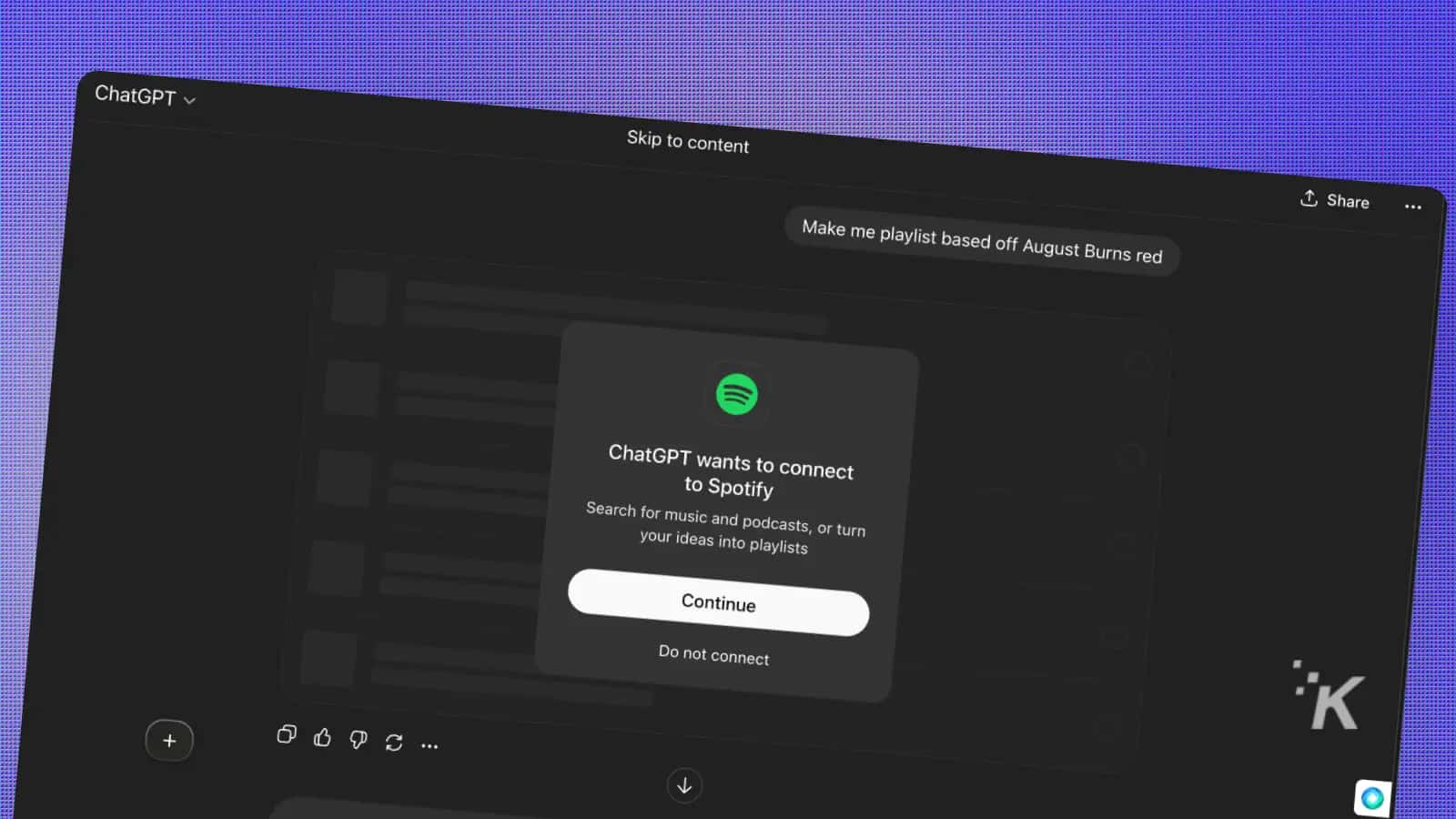
Start a fresh conversation and include Spotify in your request to trigger the connection prompt.
- Authorize Connection
Click the “Connect to Spotify” button when it appears to proceed.
- Sign Into Spotify
Enter your Spotify credentials and approve the integration to link accounts.
- Request Your Playlist
Describe the kind of music or mood you want-be as creative or detailed as you like.

Capabilities and Features for All Users
For Free Spotify Users: ChatGPT taps into Spotify’s existing playlists such as Discover Weekly and New Music Friday, acting as an intelligent guide to find playlists that suit your preferences.
For Premium Subscribers: Enjoy a fully customized playlist experience where ChatGPT generates unique playlists based on your listening habits and specific instructions.
Universal Requests Include:
- Individual songs, podcasts, artists, albums, or entire playlists
- Playlists tailored to moods like “relaxing Sunday morning”
- Activity-focused mixes such as “energetic workout tunes from my favorite artists”
- Genre blends like “folk rock fused with electronic beats”
Resolving Common Connection and Playback Issues
Unable to Connect: Log out from both ChatGPT and Spotify, then try reconnecting. If using a browser, clearing cache and cookies can help.
Playlist Doesn’t Match Expectations: Refine your prompt with more precise details. Instead of “nice music,” try “upbeat indie rock for morning runs.”
Spotify Option Not Visible: This feature is gradually being rolled out. If it’s not available yet, check back after a few days.
Limitations for Free Users: Free accounts receive recommendations from existing playlists rather than fully personalized creations.
Expert Tips to Enhance Your Playlist Requests
- Be Detailed: Requests like “90s grunge for rainy afternoons” yield better results than vague terms like “sad songs.”
- Leverage Your Listening History: Try prompts such as “similar to my Discover Weekly but with more electronic tracks.”
- Set the Atmosphere: For example, “background music for a cozy dinner with friends.”
- Combine Genres: Experiment with mixes like “jazz-inspired hip hop with strong bass.”
- Exercise Patience: Since this is a new feature, some requests may need tweaking to get perfect results.
Frequently Asked Questions
Final Thoughts
Forget endless scrolling through Spotify’s vast library. Just open ChatGPT, connect your Spotify account, and describe the atmosphere you want-whether it’s a “rainy Tuesday coding session,” a “neon-lit cyberpunk drive,” or “background tunes for a dinner party.”
Free users benefit from intelligent playlist curation, while Premium subscribers enjoy fully tailored playlists that evolve with your tastes. You can always tweak and refine your playlists to perfection. It’s your personal DJ, ready on demand.
This integration transforms music discovery into a seamless, conversational experience, like chatting with a friend who has impeccable musical taste.
Ready to explore? Launch ChatGPT, request your ideal playlist, and let your ears enjoy the journey.

