
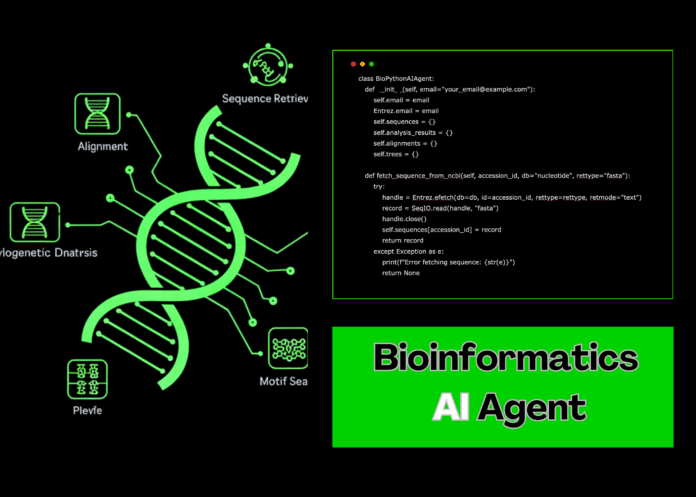
Creating a Versatile Bioinformatics AI Agent with Python in Google Colab
This guide walks you through developing a sophisticated yet user-friendly Bioinformatics AI Agent using Python and widely-used libraries, optimized for execution within Google Colab. By integrating functionalities such as sequence retrieval, molecular characterization, graphical representation, multiple sequence alignment, phylogenetic tree generation, and motif detection into a unified class, this tutorial offers a practical framework for comprehensive biological sequence analysis.
Setting Up the Environment: Essential Libraries and Tools
To begin, we install critical bioinformatics and data science packages, including Biopython, Pandas, NumPy, Matplotlib, Seaborn, Plotly, Requests, BeautifulSoup4, SciPy, scikit-learn, and NetworkX. Additionally, ClustalW is installed for sequence alignment tasks. We then import necessary modules from these libraries and configure the Entrez email parameter to enable sequence fetching from NCBI, ensuring a fully equipped Colab environment for advanced analyses.
!pip install biopython pandas numpy matplotlib seaborn plotly requests beautifulsoup4 scipy scikit-learn networkx
!apt-get update
!apt-get install -y clustalw

import os
import requests
import pandas as pd
import numpy as np
import matplotlib.pyplot as plt
import seaborn as sns
import plotly.express as px
import plotly.graph_objects as go
from plotly.subplots import make_subplots
from Bio import SeqIO, Entrez, Align, Phylo
from Bio.Seq import Seq
from Bio.SeqRecord import SeqRecord
from Bio.SeqUtils import gc_fraction, molecular_weight
from Bio.SeqUtils.ProtParam import ProteinAnalysis
from Bio.Phylo.TreeConstruction import DistanceCalculator, DistanceTreeConstructor
import warnings
warnings.filterwarnings('ignore')

Entrez.email = "[email protected]"
Designing the Bioinformatics AI Agent Class
We construct a comprehensive BioinformaticsAIAgent class that encapsulates sequence management, analysis, and visualization. This class supports fetching sequences from NCBI, generating predefined sample sequences, performing nucleotide and protein analyses, visualizing sequence properties, conducting multiple sequence alignments, building phylogenetic trees, scanning for motifs, analyzing codon usage, and executing sliding window GC content evaluations.
Sample Sequences Included
- SARS-CoV-2 Spike Protein
- Human Insulin Precursor
- Escherichia coli 16S rRNA
These sequences serve as starting points for exploration or can be replaced with custom sequences retrieved directly from NCBI.
Core Functionalities of the Agent
Sequence Retrieval and Creation
The agent can download sequences from NCBI using accession numbers or instantiate built-in sample sequences for immediate analysis.
Sequence Analysis
Key analyses include calculating nucleotide composition, GC content, molecular weight, and translating DNA sequences to proteins. For protein sequences, the agent computes molecular weight, isoelectric point, amino acid composition, secondary structure fractions, flexibility, and hydrophobicity (GRAVY score).
Visualization Tools
Interactive plots generated with Plotly display nucleotide composition as pie and bar charts, sequence properties such as length and GC content, and comparative analyses across multiple sequences. Sliding window GC content plots reveal local variations along sequences.
Multiple Sequence Alignment and Phylogenetics
Pairwise alignments are performed using Biopython’s PairwiseAligner, while phylogenetic trees are constructed with UPGMA based on sequence identity distances, visualized using Matplotlib and Biopython’s Phylo module.
Motif and Codon Usage Analysis
The agent identifies specific nucleotide motifs within sequences and profiles codon usage frequencies, highlighting the most prevalent codons.
Example Usage: Running the Full Pipeline
agent = BioinformaticsAIAgent()

# Generate sample sequences
sample_sequences = agent.create_sample_sequences()

# Analyze each sample sequence
for seq_id, _, _ in sample_sequences:
    agent.analyze_sequence(seq_id)

# Execute comprehensive analysis on all samples
results = agent.run_comprehensive_analysis(['COVID_Spike', 'Human_Insulin', 'E_coli_16S'])

print("Bioinformatics AI Agent setup complete!")
print("Sequences loaded:", list(agent.sequences.keys()))
print("Available analysis methods:", [m for m in dir(agent) if not m.startswith('_')])
Visualizing and Comparing Results
After analysis, the agent can generate detailed visualizations such as nucleotide composition charts, sliding window GC content plots, and codon usage histograms. Comparative plots allow side-by-side evaluation of sequence length, GC content, and molecular weight across multiple sequences.
agent.visualize_composition('COVID_Spike')
agent.gc_content_window('E_coli_16S', window_size=50)
agent.codon_usage_analysis('COVID_Spike')

comparative_df = agent.comparative_analysis(['COVID_Spike', 'Human_Insulin', 'E_coli_16S'])
print(comparative_df)

motif_positions = agent.motif_search('COVID_Spike', 'ATG')
print(f"Positions of 'ATG' motif: {motif_positions}")

# Construct and display a phylogenetic tree from sequence fragments
tree = agent.create_phylogenetic_tree(sequences=[
    str(agent.sequences['COVID_Spike'].seq[:300]),
    str(agent.sequences['Human_Insulin'].seq[:300]),
    str(agent.sequences['E_coli_16S'].seq[:300])
])

if tree:
    agent.visualize_tree(tree)
Summary and Applications
This Bioinformatics AI Agent offers a robust, all-in-one solution for biological sequence analysis, combining foundational nucleotide and protein assessments with advanced comparative and phylogenetic tools. Its integration of interactive visualizations and modular design makes it ideal for educational purposes, research prototyping, and rapid bioinformatics workflows within Google Colab. Leveraging open-source Python libraries, this approach streamlines complex analyses, enabling users to gain deep insights into genetic data efficiently.

