
Mastering Conversation Flow Management with LangGraph
This guide explores how LangGraph empowers developers to orchestrate dialogue sequences methodically while offering the unique ability to “time travel” through conversation checkpoints. By constructing a chatbot that leverages a complimentary Gemini language model alongside a Wikipedia search utility, we demonstrate how to incorporate multiple interaction stages, save each checkpoint, revisit the entire conversation history, and even pick up from any previous state. This practical example highlights LangGraph’s architecture, which simplifies monitoring and manipulating dialogue progression with precision and ease.
Setting Up the Environment and Core Components
We begin by installing essential Python packages and configuring the Gemini API key. The Gemini model is initialized through LangChain, serving as the primary large language model (LLM) within our LangGraph pipeline.
!pip install -U langgraph langchain langchain-google-genai google-generativeai typing_extensions
!pip install requests==2.32.4

import os
import getpass
from langchain.chat_models import init_chat_model

if not os.environ.get("GOOGLE_API_KEY"):
    os.environ["GOOGLE_API_KEY"] = getpass.getpass("🔐 Enter your Google API Key (Gemini): ")

llm = init_chat_model("google_genai:gemini-2.0-flash")
Integrating a Robust Wikipedia Search Tool
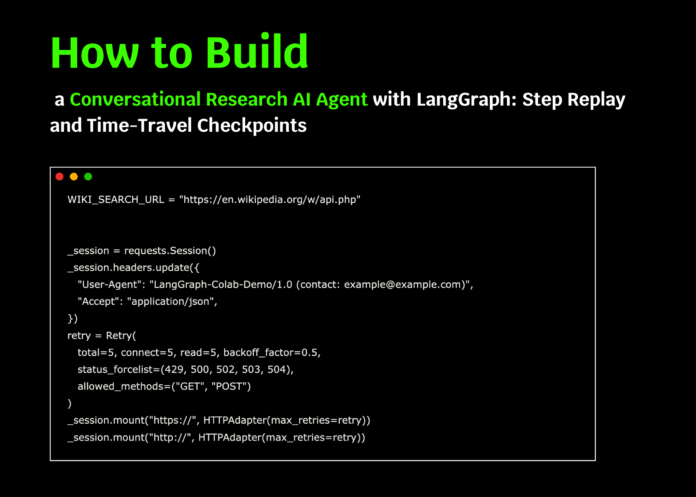
To enrich our chatbot’s knowledge base, we implement a Wikipedia search tool. This tool uses a customized HTTP session with retry logic and a courteous user-agent header to interact reliably with the MediaWiki API. The search function returns concise results including article titles, snippets, and URLs, wrapped as a LangChain tool for seamless invocation within LangGraph.
import requests
from requests.adapters import HTTPAdapter, Retry
from langchain_core.tools import tool

WIKI_API_URL = "https://en.wikipedia.org/w/api.php"

session = requests.Session()
session.headers.update({
    "User-Agent": "LangGraph-Demo/1.0 (contact: [email protected])",
    "Accept": "application/json",
})
retry_strategy = Retry(
    total=5, backoff_factor=0.5,
    status_forcelist=[429, 500, 502, 503, 504],
    allowed_methods=["GET", "POST"]
)
adapter = HTTPAdapter(max_retries=retry_strategy)
session.mount("https://", adapter)
session.mount("http://", adapter)

def raw_wiki_search(query: str, limit: int = 3):
    params = {
        "action": "query",
        "list": "search",
        "format": "json",
        "srsearch": query,
        "srlimit": limit,
        "srprop": "snippet",
        "utf8": 1,
        "origin": "*",
    }
    response = session.get(WIKI_API_URL, params=params, timeout=15)
    response.raise_for_status()
    results = response.json().get("query", {}).get("search", [])
    return [
        {
            "title": item["title"],
            "snippet_html": item["snippet"],
            "url": f"https://en.wikipedia.org/wiki/{item['title'].replace(' ', '_')}"
        }
        for item in results
    ]

@tool
def wiki_search(query: str):
    try:
        results = raw_wiki_search(query)
        return results if results else [{"title": "No results found", "snippet_html": "", "url": ""}]
    except Exception as e:
        return [{"title": "Error", "snippet_html": str(e), "url": ""}]

TOOLS = [wiki_search]
Constructing the Conversation Graph with Checkpointing
We define a structured state to hold the conversation messages and bind the Gemini LLM with our Wikipedia tool, enabling dynamic tool calls during dialogue. The chatbot node is added to the graph, and checkpointing is enabled using an in-memory saver, allowing us to save and revisit conversation states effortlessly.
from typing import TypedDict, Annotated, List, Dict, Any
import textwrap
from langgraph.graph import StateGraph
from langgraph.graph.message import add_messages
from langgraph.checkpoint.memory import InMemorySaver

class ConversationState(TypedDict):
    messages: Annotated[List, add_messages]

graph_builder = StateGraph(ConversationState)

llm_with_tools = llm.bind_tools(TOOLS)

SYSTEM_PROMPT = textwrap.dedent("""
You are ResearchBuddy, a meticulous research assistant.
- When the user requests "research", "find info", "latest", "web", or mentions any library/framework/product,
  you MUST invoke the `wiki_search` tool at least once before responding.
- Keep your tool invocation text concise.
- Cite the titles of Wikipedia pages used in your final summary.
""").strip()

def chatbot_node(state: ConversationState) -> Dict[str, Any]:
    return {"messages": [llm_with_tools.invoke(state["messages"])]}

graph_builder.add_node("chatbot", chatbot_node)

memory = InMemorySaver()
graph = graph_builder.compile(checkpointer=memory)
Utility Functions for Managing Conversation States
To facilitate inspection and control over the conversation flow, we implement helper functions. These include a function to neatly display the latest message, another to list all saved checkpoints with summary details, and a method to select a checkpoint based on the next node to be executed, such as the Wikipedia tool call.
from langchain_core.messages import BaseMessage
from typing import Optional

def display_last_message(event: Dict[str, Any]):
    if "messages" in event and event["messages"]:
        msg = event["messages"][-1]
        try:
            if isinstance(msg, BaseMessage):
                msg.pretty_print()
            else:
                role = msg.get("role", "unknown")
                content = msg.get("content", "")
                print(f"n[{role.upper()}]n{content}n")
        except Exception:
            print(str(msg))

def list_state_history(config: Dict[str, Any]) -> List[Any]:
    history = list(graph.get_state_history(config))
    print("n=== 📜 Conversation Checkpoints (most recent first) ===")
    for i, state in enumerate(history):
        next_nodes = state.next or ()
        print(f"{i:02d}) Messages={len(state.values.get('messages', []))}  Next={next_nodes}")
    print("=== End of checkpoints ===n")
    return history

def find_checkpoint_by_next(history: List[Any], node_name: str = "tools") -> Optional[Any]:
    for state in history:
        next_nodes = tuple(state.next) if state.next else ()
        if node_name in next_nodes:
            return state
    return None
Simulating User Interactions and Checkpointing
We simulate a conversation with two user inputs within the same thread. The first message instructs the assistant to research LangGraph, while the second expresses interest in building an autonomous agent. Each interaction is checkpointed, enabling us to revisit or resume the dialogue from any saved state.
config = {"configurable": {"thread_id": "demo-thread-1"}}

initial_turn = {
    "messages": [
        {"role": "system", "content": SYSTEM_PROMPT},
        {"role": "user", "content": "I'm exploring LangGraph. Could you help me research it?"}
    ]
}

print("n==================== 🟢 STEP 1: Initial User Query ====================")
events = graph.stream(initial_turn, config, stream_mode="values")
for event in events:
    display_last_message(event)

follow_up_turn = {
    "messages": [
        {"role": "user", "content": "Great! I might try building an agent with it."}
    ]
}

print("n==================== 🟢 STEP 2: Follow-up User Message ====================")
events = graph.stream(follow_up_turn, config, stream_mode="values")
for event in events:
    display_last_message(event)
Replaying and Resuming Conversations from Checkpoints
We demonstrate how to replay the entire conversation history and select a checkpoint to resume from, effectively “time traveling” within the dialogue. This feature allows continuation from any prior state, supporting iterative development and debugging of conversational agents.
print("n==================== 🔄 REPLAY: Conversation History ====================")
history = list_state_history(config)

checkpoint_to_resume = find_checkpoint_by_next(history, node_name="tools")
if checkpoint_to_resume is None:
    checkpoint_to_resume = history[min(2, len(history) - 1)]

print("Selected checkpoint for resuming:")
print("  Next nodes:", checkpoint_to_resume.next)
print("  Configuration:", checkpoint_to_resume.config)

print("n==================== ⏮️ RESUME from Selected Checkpoint ====================")
for event in graph.stream(None, checkpoint_to_resume.config, stream_mode="values"):
    display_last_message(event)

# Optional manual resume by index
MANUAL_INDEX = None
if MANUAL_INDEX is not None and 0 <= MANUAL_INDEX < len(history):
    manual_checkpoint = history[MANUAL_INDEX]
    print(f"n==================== 🧭 MANUAL RESUME at index {MANUAL_INDEX} ====================")
    print("Next nodes:", manual_checkpoint.next)
    print("Configuration:", manual_checkpoint.config)
    for event in graph.stream(None, manual_checkpoint.config, stream_mode="values"):
        display_last_message(event)

print("n✅ Conversation steps added, history replayed, and resumed from checkpoint successfully.")
Summary: Unlocking Flexible and Transparent Dialogue Management
Through this walkthrough, we have uncovered how LangGraph's checkpointing and state management capabilities introduce remarkable flexibility and transparency in handling conversations. By progressing through multiple user turns, reviewing the entire dialogue history, and resuming from any previous checkpoint, developers gain powerful tools to build dependable research assistants or autonomous agents. This approach not only enhances reproducibility and traceability but also lays a solid foundation for scaling to more sophisticated conversational applications where maintaining context and auditability is crucial.

