
Building a Sophisticated AI Web Agent with Gemini and Notte
This comprehensive guide walks you through creating an advanced AI-powered web agent by integrating the Gemini API for intelligent reasoning and automation. Leveraging Notte’s browser automation alongside Pydantic’s structured data models, this tutorial illustrates how to develop an AI agent capable of conducting product research, tracking social media trends, performing market analysis, scanning job listings, and more.
Setting Up the Environment and Dependencies
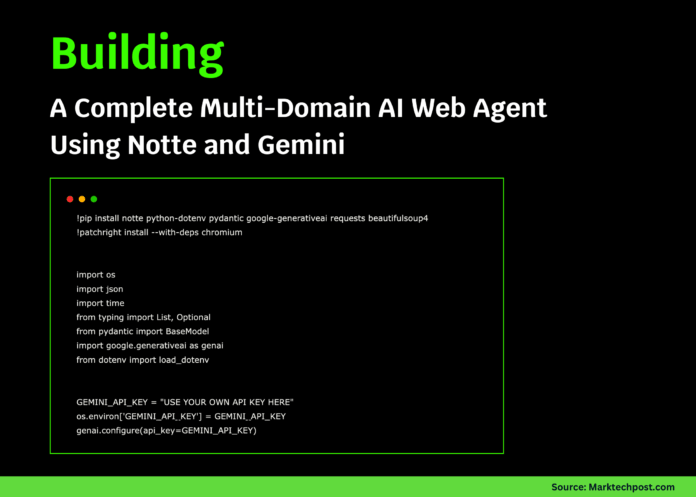
Start by installing essential libraries such as Notte, Gemini SDK, Pydantic, and web scraping tools. Afterward, configure your Gemini API key to authenticate requests. This setup enables seamless interaction with Gemini’s reasoning models and Notte’s browser automation framework.
!pip install notte python-dotenv pydantic google-generativeai requests beautifulsoup4
!patchright install --with-deps chromium

import os
import time
from typing import List, Optional
from pydantic import BaseModel
import google.generativeai as genai
from dotenv import loaddotenv

GEMINIAPIKEY = "INSERTYOURAPIKEYHERE"
os.environ['GEMINIAPIKEY'] = GEMINIAPIKEY
genai.configure(apikey=GEMINIAPIKEY)

import notte
Defining Structured Data Models for Reliable Outputs
To ensure consistent and validated data extraction, we define Pydantic models representing various data types the agent will handle. These include models for product details, news articles, social media posts, and search results, enabling the AI agent to return well-organized and trustworthy information.
class ProductDetails(BaseModel):
    name: str
    price: str
    rating: Optional[float]
    stockstatus: str
    description: str

class NewsItem(BaseModel):
    headline: str
    summary: str
    link: str
    publisheddate: str
    sourcename: str

class SocialPost(BaseModel):
    text: str
    user: str
    likes: int
    postedat: str
    platform: str

class SearchResults(BaseModel):
    query: str
    items: List[dict]
    totalresults: int
Creating the Advanced AI Agent Class
We encapsulate Notte’s session management and Gemini-powered reasoning within an AdvancedNotteAgent class. This class manages a headless browser session and exposes high-level methods for diverse tasks such as product research, news aggregation, social media monitoring, competitive analysis, job market scanning, price comparison, and content trend research. Each method returns structured data conforming to the Pydantic models.
class AdvancedNotteAgent:
    def init(self, headless=True, maxsteps=20):
        self.headless = headless
        self.maxsteps = maxsteps
        self.session = None
        self.agent = None

    def enter(self):
        self.session = notte.Session(headless=self.headless)
        self.session.enter()
        self.agent = notte.Agent(
            session=self.session,
            reasoningmodel='gemini/gemini-2.5-flash',
            maxsteps=self.maxsteps
        )
        return self

    def exit(self, exctype, excval, exctb):
        if self.session:
            self.session.exit(exctype, excval, exctb)

    def fetchproductinfo(self, productname: str, site: str = "amazon.com") -> ProductDetails:
        task = (
            f"Navigate to {site}, search for '{productname}', select the top product, "
            "and extract detailed information including name, price, rating, availability, and description."
        )
        response = self.agent.run(task=task, responseformat=ProductDetails, url=f"https://{site}")
        return response.answer

    def gathernews(self, topic: str, count: int = 3) -> List[NewsItem]:
        task = (
            f"Find the latest {count} news articles about '{topic}', extracting headline, summary, URL, date, and source."
        )
        response = self.agent.run(task=task, url="https://news.google.com", responseformat=List[NewsItem])
        return response.answer

    def tracksocialmedia(self, hashtag: str, platform: str = "twitter") -> List[SocialPost]:
        urlmap = {"twitter": "https://twitter.com", "reddit": "https://reddit.com"}
        url = urlmap.get(platform.lower(), f"https://{platform}.com")
        task = (
            f"Search {platform} for posts tagged with '{hashtag}', retrieve content, author, likes, timestamps "
            "from the top 5 posts."
        )
        response = self.agent.run(task=task, url=url, responseformat=List[SocialPost])
        return response.answer

    def analyzecompetitors(self, company: str, rivals: List[str]) -> dict:
        analysis = {}
        for competitor in [company] + rivals:
            task = (
                f"Visit {competitor}'s website, locate pricing or product pages, and extract key features, pricing tiers, "
                "and unique selling points."
            )
            try:
                response = self.agent.run(task=task, url=f"https://{competitor}.com")
                analysis[competitor] = response.answer
                time.sleep(2)
            except Exception as e:
                analysis[competitor] = f"Failed to retrieve data: {str(e)}"
        return analysis

    def scanjobs(self, role: str, location: str = "remote") -> List[dict]:
        task = (
            f"Search for '{role}' job openings in '{location}', extract job titles, companies, salary info, and application links "
            "from the first 10 listings."
        )
        response = self.agent.run(task=task, url="https://indeed.com")
        return response.answer

    def compareprices(self, product: str, sites: List[str]) -> dict:
        prices = {}
        for site in sites:
            task = f"Search for '{product}' on {site} and find the best price including discounts or offers."
            try:
                response = self.agent.run(task=task, url=f"https://{site}")
                prices[site] = response.answer
                time.sleep(1)
            except Exception as e:
                prices[site] = f"Error fetching price: {str(e)}"
        return prices

    def explorecontenttrends(self, topic: str, contenttype: str = "blog") -> dict:
        if contenttype == "blog":
            url = "https://medium.com"
            task = (
                f"Search for '{topic}' blog posts, analyze trending themes, engagement, and content gaps."
            )
        elif contenttype == "video":
            url = "https://youtube.com"
            task = (
                f"Search for '{topic}' videos, analyze views, titles, and descriptions to identify popular formats."
            )
        else:
            url = "https://google.com"
            task = f"Search for '{topic}' content online and analyze trending discussions."
        response = self.agent.run(task=task, url=url)
        return {"topic": topic, "insights": response.answer, "platform": contenttype}
Demonstrating Practical Use Cases with Demos
To illustrate the agent’s capabilities, we provide several demo functions showcasing real-world applications such as e-commerce product research, news aggregation, social media monitoring, market intelligence, job market analysis, and content strategy development.
def demoproductresearch():
    print("🛍️ E-commerce Product Research Demo")
    print("="  50)
    with AdvancedNotteAgent(headless=True) as agent:
        product = agent.fetchproductinfo("noise cancelling headphones", "amazon.com")
        print(f"Name: {product.name}")
        print(f"Price: {product.price}")
        print(f"Rating: {product.rating}")
        print(f"Availability: {product.stockstatus}")
        print(f"Description: {product.description[:100]}...")

        print("n💰 Price Comparison:")
        sites = ["amazon.com", "ebay.com", "bestbuy.com"]
        prices = agent.compareprices("noise cancelling headphones", sites)
        for site, priceinfo in prices.items():
            print(f"{site}: {priceinfo}")

def demonewsaggregation():
    print("📰 News Aggregation Demo")
    print("="  50)
    with AdvancedNotteAgent() as agent:
        articles = agent.gathernews("climate change", 3)
        for idx, article in enumerate(articles, 1):
            print(f"nArticle {idx}:")
            print(f"Title: {article.headline}")
            print(f"Source: {article.sourcename}")
            print(f"Summary: {article.summary}")
            print(f"URL: {article.link}")

def demosocialmediatracking():
    print("👀 Social Media Monitoring Demo")
    print("="  50)
    with AdvancedNotteAgent() as agent:
        posts = agent.tracksocialmedia("#Sustainability", "reddit")
        for idx, post in enumerate(posts, 1):
            print(f"nPost {idx}:")
            print(f"User: {post.user}")
            print(f"Content: {post.text[:100]}...")
            print(f"Likes: {post.likes}")
            print(f"Platform: {post.platform}")

def demomarketanalysis():
    print("📊 Market Intelligence Demo")
    print("="  50)
    with AdvancedNotteAgent() as agent:
        company = "tesla"
        competitors = ["rivian", "lucidmotors"]
        analysis = agent.analyzecompetitors(company, competitors)
        for comp, data in analysis.items():
            print(f"n{comp.title()}:")
            print(f"Summary: {str(data)[:200]}...")

def demojobsearch():
    print("💼 Job Market Analysis Demo")
    print("="  50)
    with AdvancedNotteAgent() as agent:
        jobs = agent.scanjobs("data scientist", "new york")
        print(f"Found {len(jobs)} job listings:")
        for job in jobs[:3]:
            print(f"- {job}")

def democontentinsights():
    print("✍️ Content Strategy Demo")
    print("="  50)
    with AdvancedNotteAgent() as agent:
        blogdata = agent.explorecontenttrends("artificial intelligence", "blog")
        videodata = agent.explorecontenttrends("artificial intelligence", "video")
        print("Blog Insights:")
        print(blogdata["insights"][:300] + "...")
        print("nVideo Insights:")
        print(videodata["insights"][:300] + "...")
Orchestrating Multi-Agent Workflows for Holistic Insights
To streamline complex research processes, we introduce a WorkflowManager that sequences multiple AI agent tasks into a unified pipeline. This manager supports adding modular tasks and executing them sequentially or concurrently, enabling comprehensive market research by combining product analysis, competitor evaluation, and sentiment tracking.
class WorkflowManager:
    def init(self):
        self.tasks = []
        self.results = {}

    def addtask(self, name: str, func, args, kwargs):
        self.tasks.append({'name': name, 'func': func, 'args': args, 'kwargs': kwargs})

    def run(self, parallel=False):
        print("🚀 Starting Multi-Agent Workflow")
        print("="  50)
        for task in self.tasks:
            print(f"n🤖 Running {task['name']}...")
            try:
                result = task'func'
                self.results[task['name']] = result
                print(f"✅ {task['name']} completed successfully")
            except Exception as e:
                self.results[task['name']] = f"Error: {str(e)}"
                print(f"❌ {task['name']} failed: {str(e)}")
            if not parallel:
                time.sleep(2)
        return self.results

def comprehensivemarketresearch(company: str, producttype: str):
    workflow = WorkflowManager()
    workflow.addtask("Product Trend Research", lambda: researchtrendingproducts(producttype))
    workflow.addtask("Competitor Analysis", lambda: analyzemarketcompetitors(company, producttype))
    workflow.addtask("Brand Sentiment Monitoring", lambda: monitorbrandsentiment(company))
    return workflow.run()

def researchtrendingproducts(category: str):
    with AdvancedNotteAgent(headless=True) as agent:
        task = f"Identify top 5 trending products in {category} with prices, ratings, and features."
        response = agent.agent.run(task=task, url="https://amazon.com")
        return response.answer

def analyzemarketcompetitors(company: str, category: str):
    with AdvancedNotteAgent(headless=True) as agent:
        task = f"Compare pricing, features, and positioning of {company} and its competitors in {category}."
        response = agent.agent.run(task=task, url="https://google.com")
        return response.answer

def monitorbrandsentiment(brand: str):
    with AdvancedNotteAgent(headless=True) as agent:
        task = f"Analyze recent social media and news mentions of {brand} for sentiment and key themes."
        response = agent.agent.run(task=task, url="https://reddit.com")
        return response.answer
Utility Functions and Quick Tests for Rapid Prototyping
To facilitate quick experimentation, we provide helper functions for simple scraping, searching, and form filling tasks. Additionally, a main() function runs all demos sequentially, ensuring smooth end-to-end execution and easy validation of the AI agent’s capabilities.
def quickscrape(url: str, instructions: str = "Extract main content"):
    with AdvancedNotteAgent(headless=True, maxsteps=5) as agent:
        response = agent.agent.run(task=f"{instructions} from this page", url=url)
        return response.answer

def quicksearch(query: str, maxresults: int = 5):
    with AdvancedNotteAgent(headless=True, maxsteps=10) as agent:
        task = f"Search for '{query}' and return top {maxresults} results with titles, URLs, and summaries."
        response = agent.agent.run(task=task, url="https://google.com", responseformat=SearchResults)
        return response.answer

def quickformfill(url: str, data: dict):
    with AdvancedNotteAgent(headless=False, maxsteps=15) as agent:
        datastr = ", ".join(f"{k}: {v}" for k, v in data.items())
        task = f"Complete the form with the following data: {datastr} and submit."
        response = agent.agent.run(task=task, url=url)
        return response.answer

def main():
    print("🚀 Advanced Notte AI Agent Tutorial")
    print("="  60)
    print("Ensure your GEMINIAPIKEY is set correctly!")
    print("Obtain a free API key at: https://makersuite.google.com/app/apikey")
    print("="  60)

    if GEMINIAPIKEY == "INSERTYOURAPIKEYHERE":
        print("❌ Please configure your GEMINIAPIKEY before running the tutorial.")
        return

    try:
        print("n1. E-commerce Product Research")
        demoproductresearch()

        print("n2. News Aggregation")
        demonewsaggregation()

        print("n3. Social Media Monitoring")
        demosocialmediatracking()

        print("n4. Market Intelligence")
        demomarketanalysis()

        print("n5. Job Market Analysis")
        demojobsearch()

        print("n6. Content Strategy Insights")
        democontentinsights()

        print("n7. Multi-Agent Workflow Execution")
        results = comprehensivemarketresearch("Tesla", "electric vehicles")
        print("nWorkflow Results Summary:")
        for taskname, result in results.items():
            print(f"{taskname}: {str(result)[:150]}...")

    except Exception as e:
        print(f"❌ Execution error: {str(e)}")
        print("💡 Tip: Verify your Gemini API key and internet connection.")

if name == "main":
    print("🤖 Quick Test Examples")
    print("="  30)

    print("n1. Quick Scrape Example:")
    try:
        scraped = quickscrape("https://news.ycombinator.com", "Extract top 3 post titles")
        print(f"Scraped Data: {scraped}")
    except Exception as e:
        print(f"Error: {e}")

    print("n2. Quick Search Example:")
    try:
        searchresults = quicksearch("latest AI breakthroughs", 3)
        print(f"Search Results: {search_results}")
    except Exception as e:
        print(f"Error: {e}")

    print("n3. Custom Wikipedia Summary Task:")
    try:
        with AdvancedNotteAgent(headless=True) as agent:
            response = agent.agent.run(
                task="Visit Wikipedia, search for 'artificial intelligence', and summarize the main article in two sentences.",
                url="https://wikipedia.org"
            )
            print(f"Wikipedia Summary: {response.answer}")
    except Exception as e:
        print(f"Error: {e}")

    main()

    print("n✨ Tutorial Completed!")
    print("💡 Best Practices:")
    print("- Begin with simple tasks and progressively increase complexity.")
    print("- Use structured Pydantic models for consistent data extraction.")
    print("- Implement rate limiting to comply with API usage policies.")
    print("- Handle exceptions gracefully in production environments.")
    print("- Combine scripting with AI for efficient automation.")

    print("n🚀 Next Steps:")
    print("- Tailor agents to your specific business needs.")
    print("- Add robust error handling and retry mechanisms.")
    print("- Integrate logging and monitoring for operational visibility.")
    print("- Scale with Notte's hosted API for enterprise-grade features.")
Summary
This tutorial demonstrates how combining Notte’s browser automation with Gemini’s advanced reasoning capabilities creates a versatile AI web agent. From individual demos covering e-commerce, news, and social media to orchestrated multi-agent workflows, developers gain a powerful toolkit for automating research, monitoring, and analysis tasks. By following this guide, you can rapidly prototype AI agents, customize workflows, and deploy intelligent automation solutions tailored to your business or creative projects.

