
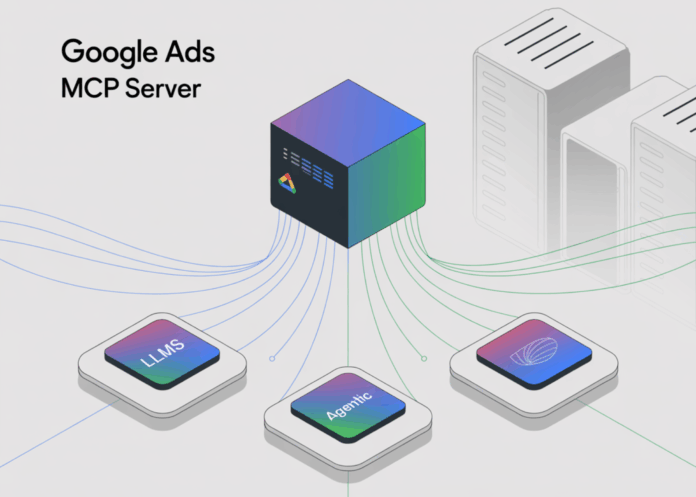
Google has released an open-source project that provides read-only access to the Google Ads API, specifically designed for integration with agentic systems and large language models (LLMs). This repository, named googleads/google-ads-mcp, features a Python-based MCP (Model-Controller-Protocol) server exposing two primary functionalities: search (enabling GAQL queries across Ads accounts) and list_accessible_customers (which enumerates customer resources). The setup process involves using pipx, obtaining Google Ads developer tokens, configuring OAuth2 scopes with https://www.googleapis.com/auth/adwords, and integrating with MCP-compatible clients such as Gemini CLI or Code Assist through a standardized MCP client configuration. This project is currently labeled as “Experimental.”
Why This Development Is Significant
The MCP framework is rapidly becoming a universal standard for connecting AI models to external APIs and services. By providing a reference implementation for the Google Ads API, Google significantly reduces the complexity and overhead for developers building LLM-powered agents that require access to campaign data, budget tracking, and performance insights. This eliminates the need for custom SDKs or complex middleware, streamlining the process of integrating advertising telemetry into intelligent workflows.
Technical Overview: How Developers Can Utilize This
- Protocol Mechanics: MCP defines a structured way for AI models to invoke “tools” with clearly typed inputs and outputs. The Ads MCP server exposes these tools by mapping them directly to Google Ads API operations. MCP clients, including Gemini CLI and Code Assist, dynamically discover and invoke these tools during interactive sessions.
- Authentication and Permissions: To use the server, developers must enable the Google Ads API within a Google Cloud project, secure a developer token, and configure authentication via Application Default Credentials or the Ads Python client library. The essential OAuth2 scope is
adwords. For managing hierarchical accounts, specifying a login customer ID is necessary. - Client Configuration: Users add an entry in their
~/.gemini/settings.jsonfile pointing to the MCP server command (pipx run git+https://github.com/googleads/google-ads-mcp.git google-ads-mcp) and supply credentials through environment variables. Once set up, queries related to campaigns, performance metrics, and other Ads data can be executed via the/mcpendpoint in Gemini or through natural language prompts.
Broader Industry Impact and Ecosystem Trends
This Google Ads MCP server launch coincides with a growing trend of MCP adoption among various vendors and open-source projects, underscoring MCP’s role as a practical bridge for agent-to-SaaS interoperability. For pay-per-click (PPC) specialists and growth marketers experimenting with AI-driven workflows, this reference server offers a low-barrier method to pilot LLM-assisted quality assurance, anomaly detection, and automated reporting-without risking data integrity by granting write access.
Essential Highlights
- Google has open-sourced a read-only MCP server for the Google Ads API, featuring two key tools:
search(GAQL queries) andlist_accessible_customers. - The project is a Python-based implementation hosted on GitHub (
googleads/google-ads-mcp), licensed under Apache-2.0, and marked as Experimental. Installation and execution are streamlined viapipx, with OAuth2 scopehttps://www.googleapis.com/auth/adwordsrequired alongside developer tokens and optional login-customer IDs. - Compatible with MCP clients such as Gemini CLI and Code Assist, enabling natural language-driven queries and analysis of Google Ads accounts.
Final Thoughts
Google’s open-source Google Ads API MCP server offers a standardized, read-only interface that empowers LLM agents to perform GAQL queries on Ads accounts without the need for custom SDK development. While the repository is experimental, it provides essential tools like search and list_accessible_customers, and integrates seamlessly with MCP clients such as Gemini CLI and Code Assist. Users should carefully manage OAuth scopes, developer tokens, and be mindful of data exposure considerations outlined in the documentation when deploying in production environments.

