
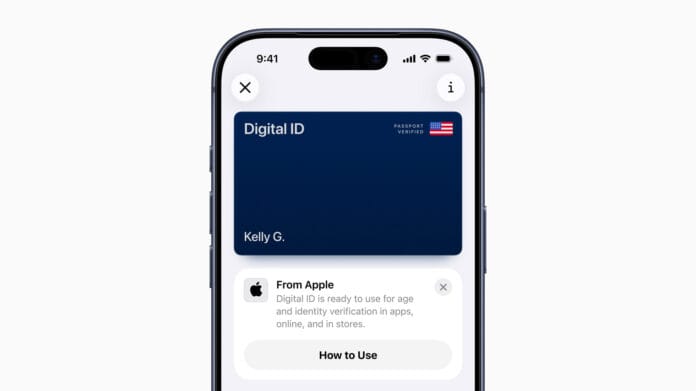
Apple Launches Digital ID for Seamless Identity Verification
Apple has unveiled its innovative Digital ID feature, enabling users to create a secure digital identity by linking their U.S. Passport information directly to their iPhone or Apple Watch. This advancement offers a modern, convenient way to carry and present official identification.
Initial Rollout and Future Expansion
The Digital ID is currently in a beta phase, accessible at TSA checkpoints across more than 250 airports throughout the United States. This pilot program facilitates identity verification for domestic travelers, streamlining the security process. Apple anticipates expanding Digital ID acceptance to additional venues and use cases in the near future, broadening its utility beyond airport security.
Enhancing User Convenience and Security
Jennifer Bailey, Apple’s Vice President of Apple Pay and Apple Wallet, expressed enthusiasm about the new feature, highlighting how it broadens the ways users can securely store and present their identification. Since the 2022 introduction of driver’s licenses and state IDs in Apple Wallet, millions have embraced the convenience of digital IDs. Now, by incorporating U.S. Passport data, Digital ID extends this secure option to a wider audience.
Alternative Options for Users Without a U.S. Passport
For individuals who do not possess a U.S. Passport, Apple Wallet still supports adding eligible driver’s licenses or state IDs. This flexibility ensures that more users can benefit from digital identity storage, even if they lack passport documentation.
Understanding the Scope and Limitations of Digital ID
Digital ID empowers users to create and present official identification without requiring a REAL ID-compliant driver’s license or state ID. However, it is important to note that Digital ID is not intended to replace passports for international travel or border crossings. Its primary function is to facilitate domestic identity verification in a secure, digital format.
How to Add Your Digital ID to Apple Wallet
Setting up a Digital ID is straightforward: users authenticate their identity by scanning their U.S. Passport through the Apple Wallet app, after which they can add a driver’s license or state ID if desired. Apple employs robust privacy and security measures, including end-to-end encryption, to safeguard Digital ID data against unauthorized access or tampering.
Current Availability and Global Reach
As of now, Apple Wallet’s Digital ID feature is supported in 12 U.S. states and territories, including Puerto Rico. Notably, Japan became the first country outside the U.S. to adopt a similar system with its My Number Card integration. In the U.S., states such as Montana, North Dakota, and West Virginia have offered this functionality for over six months, demonstrating growing adoption.
The Future of Digital Identification
With increasing demand for contactless and secure identity verification, Apple’s Digital ID represents a significant step toward a more streamlined and user-friendly experience. As adoption grows and new use cases emerge, digital identity solutions are poised to transform how individuals prove their identity in everyday life.

