
Building and Evaluating an LLM Pipeline with Opik: A Step-by-Step Guide
This guide walks you through constructing a comprehensive workflow for developing, tracing, and assessing a large language model (LLM) pipeline using Opik. We start with a lightweight model, incorporate prompt-driven planning, assemble a dataset, and conclude with automated evaluation. Throughout the process, Opik enables detailed tracking of function executions, visualization of pipeline operations, and objective measurement of output quality with reproducible metrics. By the end, you will have a fully instrumented question-answering system that is easy to extend, compare, and monitor.
Environment Setup and Initialization
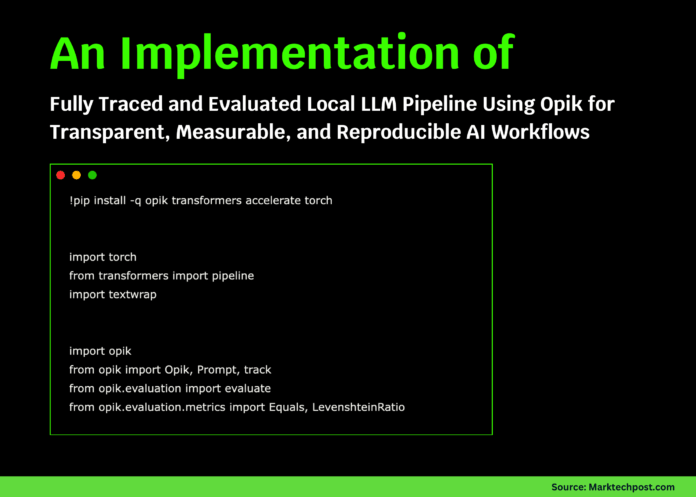
First, we prepare our environment by installing essential libraries and initializing Opik. We import core modules, detect the available hardware (GPU or CPU), and configure the project workspace to ensure all traces are properly recorded. This foundational setup is crucial for the subsequent steps.
!pip install -q opik transformers accelerate torch

import torch
from transformers import pipeline
import textwrap

import opik
from opik import Opik, Prompt, track
from opik.evaluation import evaluate
from opik.evaluation.metrics import Equals, LevenshteinRatio

device = 0 if torch.cuda.is_available() else -1
print("Using device:", "cuda" if device == 0 else "cpu")

opik.configure()
PROJECT_NAME = "opik-hf-tutorial"
Loading a Lightweight Hugging Face Model
We load a compact Hugging Face model, distilgpt2, and define a helper function to generate text outputs cleanly. This local setup avoids reliance on external APIs, ensuring consistent and reproducible text generation for the pipeline.
llm = pipeline(
   "text-generation",
   model="distilgpt2",
   device=device,
)

def hf_generate(prompt: str, max_new_tokens: int = 80) -> str:
   result = llm(
       prompt,
       max_new_tokens=max_new_tokens,
       do_sample=True,
       temperature=0.3,
       pad_token_id=llm.tokenizer.eos_token_id,
   )[0]["generated_text"]
   return result[len(prompt):].strip()
Designing Structured Prompts for Planning and Answering
Using Opik’s Prompt class, we create two distinct prompt templates: one for generating a plan to answer a question based solely on provided context, and another for producing a concise answer guided by that plan. This structured prompting approach enhances consistency and allows us to observe how prompt design influences model responses.
plan_prompt = Prompt(
   name="hf_plan_prompt",
   prompt=textwrap.dedent("""
       You are an assistant that creates a plan to answer a question
       using ONLY the given context.

       Context:
       {{context}}

       Question:
       {{question}}

       Return exactly 3 bullet points as a plan.
   """).strip(),
)

answer_prompt = Prompt(
   name="hf_answer_prompt",
   prompt=textwrap.dedent("""
       You answer based only on the given context.

       Context:
       {{context}}

       Question:
       {{question}}

       Plan:
       {{plan}}

       Answer the question in 2-4 concise sentences.
   """).strip(),
)
Creating a Minimal Document Store for Context Retrieval
We simulate a simple retrieval-augmented generation (RAG) workflow by building a small document repository and a retrieval function. This function selects relevant context based on the user’s question keywords. Opik tracks this retrieval as a tool, enabling detailed inspection of the pipeline’s behavior without requiring a full vector database.
DOCS = {
   "overview": """
       Opik is an open-source platform for debugging, evaluating,
       and monitoring LLM and RAG applications. It provides tracing,
       datasets, experiments, and evaluation metrics.
   """,
   "tracing": """
       Tracing in Opik logs nested spans, LLM calls, token usage,
       feedback scores, and metadata to inspect complex LLM pipelines.
   """,
   "evaluation": """
       Opik evaluations are defined by datasets, evaluation tasks,
       scoring metrics, and experiments that aggregate scores,
       helping detect regressions or issues.
   """,
}

@track(project_name=PROJECT_NAME, type="tool", name="retrieve_context")
def retrieve_context(question: str) -> str:
   q = question.lower()
   if "trace" in q or "span" in q:
       return DOCS["tracing"]
   if "metric" in q or "dataset" in q or "evaluate" in q:
       return DOCS["evaluation"]
   return DOCS["overview"]
Implementing the Traced LLM Pipeline
We integrate the planning, reasoning, and answering stages into a single pipeline function. Each step is decorated with Opik’s @track to capture detailed execution spans, which can be visualized in the Opik dashboard. Running a sample query confirms the smooth interaction of all components.
@track(project_name=PROJECT_NAME, type="llm", name="plan_answer")
def plan_answer(context: str, question: str) -> str:
   rendered = plan_prompt.format(context=context, question=question)
   return hf_generate(rendered, max_new_tokens=80)

@track(project_name=PROJECT_NAME, type="llm", name="answer_from_plan")
def answer_from_plan(context: str, question: str, plan: str) -> str:
   rendered = answer_prompt.format(
       context=context,
       question=question,
       plan=plan,
   )
   return hf_generate(rendered, max_new_tokens=120)

@track(project_name=PROJECT_NAME, type="general", name="qa_pipeline")
def qa_pipeline(question: str) -> str:
   context = retrieve_context(question)
   plan = plan_answer(context, question)
   answer = answer_from_plan(context, question, plan)
   return answer

print("Sample answer:n", qa_pipeline("What does Opik help developers do?"))
Dataset Creation for Evaluation
Within Opik, we create a dataset tailored for our QA pipeline evaluation. This dataset contains multiple question-context-reference triples covering various facets of Opik’s functionality. It serves as the benchmark for assessing the pipeline’s accuracy.
client = Opik()

dataset = client.get_or_create_dataset(
   name="HF_Opik_QA_Dataset",
   description="Small QA dataset for HF + Opik tutorial",
)

dataset.insert([
   {
       "question": "What kind of platform is Opik?",
       "context": DOCS["overview"],
       "reference": "Opik is an open-source platform for debugging, evaluating and monitoring LLM and RAG applications.",
   },
   {
       "question": "What does tracing in Opik log?",
       "context": DOCS["tracing"],
       "reference": "Tracing logs nested spans, LLM calls, token usage, feedback scores, and metadata.",
   },
   {
       "question": "What are the components of an Opik evaluation?",
       "context": DOCS["evaluation"],
       "reference": "An Opik evaluation uses datasets, evaluation tasks, scoring metrics and experiments that aggregate scores.",
   },
])
Defining Evaluation Tasks and Metrics
We specify the evaluation task that runs the QA pipeline on each dataset item and returns the generated output alongside the reference answer. To quantify performance, we employ two metrics: Equals for exact matches and LevenshteinRatio for similarity scoring, providing a nuanced view of output quality.
equals_metric = Equals()
lev_metric = LevenshteinRatio()

def evaluation_task(item: dict) -> dict:
   output = qa_pipeline(item["question"])
   return {
       "output": output,
       "reference": item["reference"],
   }
Executing the Evaluation Experiment
We launch the evaluation using Opik’s evaluate function, running the task sequentially for stability, especially in environments like Colab. Upon completion, Opik provides a URL to the experiment dashboard, where detailed results and traces can be explored.
evaluation_result = evaluate(
   dataset=dataset,
   task=evaluation_task,
   scoring_metrics=[equals_metric, lev_metric],
   experiment_name="HF_Opik_QA_Experiment",
   project_name=PROJECT_NAME,
   task_threads=1,
)

print("nExperiment URL:", evaluation_result.experiment_url)
Reviewing Aggregated Evaluation Scores
Finally, we aggregate the evaluation metrics to summarize the pipeline’s performance. This overview highlights areas where the model’s answers align well with references and identifies opportunities for refinement, completing the feedback loop for continuous improvement.
agg = evaluation_result.aggregate_evaluation_scores()

print("nAggregated scores:")
for metric_name, stats in agg.aggregated_scores.items():
   print(metric_name, "=>", stats)
Summary
In this tutorial, we established a compact yet fully operational LLM evaluation framework powered by Opik and a local Hugging Face model. By combining tracing, structured prompts, curated datasets, and robust metrics, we gained transparent insight into the model’s reasoning and output quality. Opik’s tooling facilitates rapid iteration, systematic experimentation, and reliable validation, empowering developers to build and refine LLM applications with confidence.

