
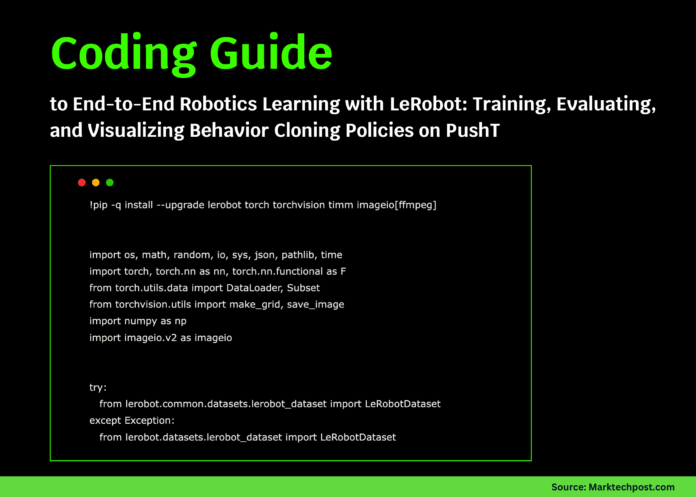
Step-by-Step Guide to Training a Behavior Cloning Policy with LeRobot on the PushT Dataset
This tutorial demonstrates how to leverage Hugging Face’s LeRobot library to develop and assess a behavior cloning policy using the PushT dataset. We start by configuring the environment in Google Colab, installing necessary packages, and loading the dataset via LeRobot’s unified API. Next, we build a streamlined visuomotor policy that integrates a convolutional neural network backbone with a compact multilayer perceptron (MLP) head, enabling direct mapping from image and state inputs to robot actions. To expedite experimentation, we train on a subset of the data, showcasing how LeRobot facilitates reproducible, dataset-driven robot learning workflows.
Environment Setup and Dependency Installation
!pip install --quiet --upgrade lerobot torch torchvision timm imageio[ffmpeg]

import os
import random
import math
import torch
import torch.nn as nn
import torch.nn.functional as F
from torch.utils.data import DataLoader, Subset
from torchvision.utils import make_grid, save_image
import numpy as np
import imageio.v2 as imageio

try:
    from lerobot.common.datasets.lerobot_dataset import LeRobotDataset
except ImportError:
    from lerobot.datasets.lerobot_dataset import LeRobotDataset

DEVICE = "cuda" if torch.cuda.is_available() else "cpu"
SEED = 42
random.seed(SEED)
np.random.seed(SEED)
torch.manual_seed(SEED)
We begin by installing the required libraries and importing essential modules. Setting a fixed random seed ensures that our results are reproducible. The code also detects whether a GPU is available, optimizing computation speed accordingly.
Loading and Inspecting the PushT Dataset
REPO_ID = "lerobot/pusht"
dataset = LeRobotDataset(REPO_ID)
print(f"Total samples in dataset: {len(dataset)}")

sample = dataset[0]
sample_keys = list(sample.keys())
print(f"Available keys in a sample: {sample_keys}")

def find_key_with_prefix(prefixes):
    for key in sample_keys:
        if any(key.startswith(prefix) for prefix in prefixes):
            return key
    return None

IMG_KEY = find_key_with_prefix(["observation.image", "observation.images", "observation.rgb"])
STATE_KEY = find_key_with_prefix(["observation.state"])
ACTION_KEY = "action"
assert ACTION_KEY in sample, f"Expected 'action' key not found. Keys: {sample_keys}"

print(f"Selected keys -> Image: {IMG_KEY}, State: {STATE_KEY}, Action: {ACTION_KEY}")
We load the PushT dataset and examine its structure to identify the keys corresponding to image observations, robot states, and actions. This mapping ensures consistent data access throughout the training process.
Data Wrapping, Preprocessing, and Loader Preparation
class PushTDataWrapper(torch.utils.data.Dataset):
    def __init__(self, base_dataset):
        self.base = base_dataset

    def __len__(self):
        return len(self.base)

    def __getitem__(self, idx):
        sample = self.base[idx]
        img = sample[IMG_KEY]
        if img.ndim == 4:  # If temporal stack, take last frame
            img = img[-1]
        img = img.float() / 255.0 if img.dtype == torch.uint8 else img.float()
        state = sample.get(STATE_KEY, torch.zeros(2)).float().reshape(-1)
        action = sample[ACTION_KEY].float().reshape(-1)
        if img.shape[-2:] != (96, 96):
            img = F.interpolate(img.unsqueeze(0), size=(96, 96), mode="bilinear", align_corners=False)[0]
        return {"image": img, "state": state, "action": action}

wrapped_dataset = PushTDataWrapper(dataset)
total_samples = len(wrapped_dataset)
indices = list(range(total_samples))
random.shuffle(indices)

train_split = int(0.9 * total_samples)
train_indices, val_indices = indices[:train_split], indices[train_split:]

# Limit dataset size for faster training in Colab
train_subset = Subset(wrapped_dataset, train_indices[:12000])
val_subset = Subset(wrapped_dataset, val_indices[:2000])

BATCH_SIZE = 128
train_loader = DataLoader(train_subset, batch_size=BATCH_SIZE, shuffle=True, num_workers=2, pin_memory=True)
val_loader = DataLoader(val_subset, batch_size=BATCH_SIZE, shuffle=False, num_workers=2, pin_memory=True)
Each data sample is wrapped to ensure consistent preprocessing: images are normalized and resized to 96×96 pixels, states are flattened, and the last frame is selected if multiple frames exist. The dataset is shuffled and split into training and validation subsets, with size caps to speed up experimentation. DataLoaders are configured for efficient batch processing.
Designing a Compact Visuomotor Policy Network
class ConvBackbone(nn.Module):
    def __init__(self, output_dim=256):
        super().__init__()
        self.conv_layers = nn.Sequential(
            nn.Conv2d(3, 32, kernel_size=5, stride=2, padding=2),
            nn.ReLU(inplace=True),
            nn.Conv2d(32, 64, kernel_size=3, stride=2, padding=1),
            nn.ReLU(inplace=True),
            nn.Conv2d(64, 128, kernel_size=3, stride=2, padding=1),
            nn.ReLU(inplace=True),
            nn.Conv2d(128, 128, kernel_size=3, stride=1, padding=1),
            nn.ReLU(inplace=True),
        )
        self.fc_head = nn.Sequential(
            nn.AdaptiveAvgPool2d(1),
            nn.Flatten(),
            nn.Linear(128, output_dim),
            nn.ReLU(inplace=True),
        )

    def forward(self, x):
        features = self.conv_layers(x)
        return self.fc_head(features)

class BehaviorCloningPolicy(nn.Module):
    def __init__(self, img_feature_dim=256, state_dim=2, hidden_dim=256, action_dim=2):
        super().__init__()
        self.backbone = ConvBackbone(img_feature_dim)
        self.mlp = nn.Sequential(
            nn.Linear(img_feature_dim + state_dim, hidden_dim),
            nn.ReLU(inplace=True),
            nn.Linear(hidden_dim, hidden_dim // 2),
            nn.ReLU(inplace=True),
            nn.Linear(hidden_dim // 2, action_dim),
        )

    def forward(self, image, state):
        img_features = self.backbone(image)
        if state.ndim == 1:
            state = state.unsqueeze(0)
        combined = torch.cat([img_features, state], dim=-1)
        return self.mlp(combined)

policy = BehaviorCloningPolicy().to(DEVICE)
optimizer = torch.optim.AdamW(policy.parameters(), lr=3e-4, weight_decay=1e-4)
scaler = torch.cuda.amp.GradScaler(enabled=(DEVICE == "cuda"))
We implement a lightweight visuomotor policy where a convolutional backbone extracts visual features from input images. These features are concatenated with the robot’s state vector and passed through an MLP to predict 2D action commands. The model is optimized using AdamW with weight decay, and mixed precision training is enabled for efficiency on GPUs.
Training Loop with Cosine Learning Rate Scheduling and Evaluation
@torch.no_grad()
def validate():
    policy.eval()
    total_loss = 0.0
    total_elements = 0
    for batch in val_loader:
        images = batch["image"].to(DEVICE, non_blocking=True)
        states = batch["state"].to(DEVICE, non_blocking=True)
        actions = batch["action"].to(DEVICE, non_blocking=True)
        predictions = policy(images, states)
        total_loss += F.mse_loss(predictions, actions, reduction="sum").item()
        total_elements += actions.numel()
    return total_loss / total_elements

def cosine_lr_schedule(current_step, max_steps, base_lr=3e-4, min_lr=3e-5):
    if current_step >= max_steps:
        return min_lr
    cosine_decay = 0.5 * (1 + math.cos(math.pi * current_step / max_steps))
    return min_lr + (base_lr - min_lr) * cosine_decay

EPOCHS = 4
total_steps = EPOCHS * len(train_loader)
current_step = 0
best_val_loss = float("inf")
checkpoint_path = "/content/lerobot_pusht_bc_best.pt"

for epoch in range(EPOCHS):
    policy.train()
    for batch in train_loader:
        lr = cosine_lr_schedule(current_step, total_steps)
        for param_group in optimizer.param_groups:
            param_group["lr"] = lr
        current_step += 1

        images = batch["image"].to(DEVICE, non_blocking=True)
        states = batch["state"].to(DEVICE, non_blocking=True)
        actions = batch["action"].to(DEVICE, non_blocking=True)

        optimizer.zero_grad(set_to_none=True)
        with torch.cuda.amp.autocast(enabled=(DEVICE == "cuda")):
            preds = policy(images, states)
            loss = F.smooth_l1_loss(preds, actions)
        scaler.scale(loss).backward()
        nn.utils.clip_grad_norm_(policy.parameters(), max_norm=1.0)
        scaler.step(optimizer)
        scaler.update()

    val_loss = validate()
    print(f"Epoch {epoch + 1}/{EPOCHS} - Validation MSE: {val_loss:.6f}")
    if val_loss < best_val_loss:
        best_val_loss = val_loss
        torch.save({"state_dict": policy.state_dict(), "val_loss": best_val_loss}, checkpoint_path)

print(f"Training complete. Best Validation MSE: {best_val_loss:.6f}")
print(f"Model saved to: {checkpoint_path}")
The training process employs a cosine annealing schedule to adjust the learning rate dynamically. Mixed precision training accelerates computation on compatible GPUs, while gradient clipping prevents exploding gradients. After each epoch, the model is evaluated on the validation set using mean squared error (MSE), and the best-performing checkpoint is saved.
Visualizing Predicted Actions on PushT Dataset Frames
policy.load_state_dict(torch.load(checkpoint_path)["state_dict"])
policy.eval()
os.makedirs("/content/visualizations", exist_ok=True)

def overlay_action_arrow(image_tensor, action_vector, scale=40):
    from PIL import Image, ImageDraw
    C, H, W = image_tensor.shape
    img_np = (image_tensor.clamp(0, 1).permute(1, 2, 0).cpu().numpy() * 255).astype(np.uint8)
    pil_img = Image.fromarray(img_np)
    draw = ImageDraw.Draw(pil_img)
    center_x, center_y = W // 2, H // 2
    dx, dy = float(action_vector[0]) * scale, float(-action_vector[1]) * scale
    draw.line((center_x, center_y, center_x + dx, center_y + dy), fill=(0, 255, 0), width=3)
    return np.array(pil_img)

video_frames = []
with torch.no_grad():
    for i in range(60):
        sample = wrapped_dataset[i]
        img = sample["image"].unsqueeze(0).to(DEVICE)
        state = sample["state"].unsqueeze(0).to(DEVICE)
        pred_action = policy(img, state)[0].cpu()
        frame = overlay_action_arrow(sample["image"], pred_action)
        video_frames.append(frame)

video_file = "/content/visualizations/pusht_predicted_actions.mp4"
imageio.mimsave(video_file, video_frames, fps=10)
print(f"Visualization video saved at: {video_file}")

image_grid = make_grid(torch.stack([wrapped_dataset[i]["image"] for i in range(16)]), nrow=8)
save_image(image_grid, "/content/visualizations/dataset_snapshot.png")
print("Dataset snapshot image saved at: /content/visualizations/dataset_snapshot.png")
After loading the best model checkpoint, we switch to evaluation mode and generate visualizations by overlaying predicted action vectors as arrows on the input images. These frames are compiled into a short video to observe the policy's behavior over time. Additionally, a grid image of sample frames provides a quick overview of the dataset.
Summary and Next Steps
This walkthrough highlights how LeRobot streamlines the integration of dataset management, model construction, and evaluation within a cohesive framework. By training a compact visuomotor policy on PushT and visualizing its predicted actions, we demonstrate a practical approach to robot learning without requiring physical hardware. This foundation can be extended to incorporate more sophisticated architectures such as diffusion models or actor-critic transformers (ACT), experiment with diverse datasets, and share trained policies on platforms like the Hugging Face Hub.

