
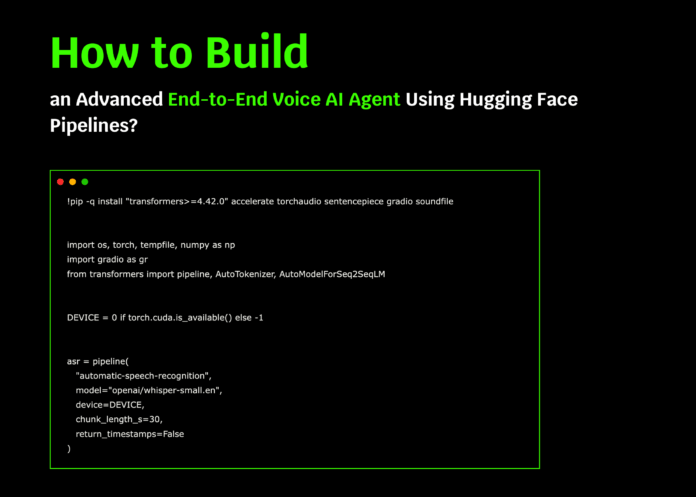
Creating a Sophisticated Voice AI Assistant Using Hugging Face Pipelines
This guide demonstrates how to develop a cutting-edge voice AI assistant by leveraging Hugging Face’s open-source models. The entire workflow is designed to be lightweight and efficient, making it ideal for running on platforms like Google Colab. We integrate Whisper for speech-to-text conversion, FLAN-T5 for natural language understanding and response generation, and Bark for converting text back into natural-sounding speech. This approach eliminates the need for complex dependencies, API keys, or cumbersome configurations, focusing instead on delivering a seamless voice interaction experience.
Setting Up the Environment and Loading Models
First, we install the essential Python libraries and initialize three Hugging Face pipelines: Whisper for automatic speech recognition (ASR), FLAN-T5 as the large language model (LLM) for generating context-aware replies, and Bark for text-to-speech (TTS) synthesis. The system automatically detects and utilizes a GPU if available, ensuring optimal performance.
!pip install -q "transformers>=4.42.0" accelerate torchaudio sentencepiece gradio soundfile

import os
import torch
import numpy as np
import gradio as gr
from transformers import pipeline, AutoTokenizer, AutoModelForSeq2SeqLM

DEVICE = 0 if torch.cuda.isavailable() else -1

Initialize ASR pipeline with Whisper
asr = pipeline(
    "automatic-speech-recognition",
    model="openai/whisper-small.en",
    device=DEVICE,
    chunklengths=30,
    returntimestamps=False
)

Load FLAN-T5 model and tokenizer for response generation
LLMMODEL = "google/flan-t5-base"
tokenizer = AutoTokenizer.frompretrained(LLMMODEL)
llm = AutoModelForSeq2SeqLM.frompretrained(LLMMODEL, devicemap="auto")

Initialize Bark for text-to-speech synthesis
tts = pipeline("text-to-speech", model="suno/bark-small")
Designing the Conversational Framework
To ensure the assistant provides clear and concise answers, we define a system prompt that guides its tone and style. The formatdialog function compiles the conversation history and the latest user input into a structured prompt, which the language model uses to generate relevant responses.
SYSTEMPROMPT = (
    "You are a helpful, concise voice assistant. "
    "Provide direct and well-structured answers. "
    "If the user requests instructions or code, respond with brief bullet points."
)

def formatdialog(history, usertext):
    conversation = []
    for usermsg, assistantmsg in history:
        if usermsg:
            conversation.append(f"User: {usermsg}")
        if assistantmsg:
            conversation.append(f"Assistant: {assistantmsg}")
    conversation.append(f"User: {usertext}")
    prompt = (
        "Instruction:n"
        f"{SYSTEMPROMPT}nn"
        "Dialog so far:n" + "n".join(conversation) + "nn"
        "Assistant:"
    )
    return prompt
Core Functionalities: Transcription, Response Generation, and Speech Synthesis
We implement three fundamental functions that power the voice assistant:
- transcribe: Converts audio input into text using Whisper.
- generatereply: Produces a context-aware textual response with FLAN-T5.
- synthesizespeech: Transforms the generated text back into speech using Bark.
def transcribe(audiopath):
    result = asr(audiopath)
    return result["text"].strip()

def generatereply(history, usertext, maxtokens=256):
    prompt = formatdialog(history, usertext)
    inputs = tokenizer(prompt, returntensors="pt", truncation=True).to(llm.device)
    with torch.nograd():
        outputids = llm.generate(
            inputs,
            maxnewtokens=maxtokens,
            temperature=0.7,
            dosample=True,
            topp=0.9,
            repetitionpenalty=1.05,
        )
    response = tokenizer.decode(outputids[0], skipspecialtokens=True).strip()
    return response

def synthesizespeech(text):
    output = tts(text)
    audiodata = np.array(output["audio"], dtype=np.float32)
    samplerate = output["samplingrate"]
    return samplerate, audiodata
Interactive Functions for Managing Conversations
To facilitate user interaction, we create several helper functions:
- clearhistory: Resets the conversation history.
- voicetovoice: Processes audio input, generates a spoken reply, and updates the chat history.
- texttovoice: Handles typed input, produces a voice response, and appends to the dialogue.
- exportchat: Saves the entire conversation as a downloadable text file.
def clearhistory():
    return [], []

def voicetovoice(audiofile, history):
    history = history or []
    if not audiofile:
        return history, None, "Please record your message."
    try:
        usertext = transcribe(audiofile)
    except Exception as e:
        return history, None, f"Speech recognition error: {e}"

    if not usertext:
        return history, None, "Sorry, I didn't catch that. Please try again."

    try:
        reply = generatereply(history, usertext)
    except Exception as e:
        return history, None, f"Response generation error: {e}"

    try:
        sr, audio = synthesizespeech(reply)
    except Exception as e:
        return history + [(usertext, reply)], None, f"Speech synthesis error: {e}"

    return history + [(usertext, reply)], (sr, audio), f"User: {usertext}nAssistant: {reply}"

def texttovoice(usertext, history):
    history = history or []
    usertext = (usertext or "").strip()
    if not usertext:
        return history, None, "Please enter a message."
    try:
        reply = generatereply(history, usertext)
        sr, audio = synthesizespeech(reply)
    except Exception as e:
        return history, None, f"Error: {e}"
    return history + [(usertext, reply)], (sr, audio), f"User: {usertext}nAssistant: {reply}"

def exportchat(history):
    lines = []
    for usermsg, assistantmsg in history or []:
        lines.extend([f"User: {usermsg}", f"Assistant: {assistantmsg}", ""])
    chattext = "n".join(lines).strip() or "No conversation available."
    import tempfile
    with tempfile.NamedTemporaryFile(delete=False, suffix=".txt", mode="w") as file:
        file.write(chattext)
        return file.name
Building a User-Friendly Interface with Gradio
We construct a clean and intuitive interface using Gradio, allowing users to interact with the assistant via voice or text. The UI includes buttons for recording, sending messages, exporting chat logs, and resetting the conversation. Responses are displayed both as text and audio, providing a rich interactive experience.
with gr.Blocks(title="Sophisticated Voice AI Assistant with Hugging Face") as demo:
    gr.Markdown(
        "## 🎙️ Sophisticated Voice AI Assistant (Powered by Hugging Face Pipelines)n"
        "- ASR: openai/whisper-small.enn"
        "- LLM: google/flan-t5-basen"
        "- TTS:** suno/bark-smalln"
        "Speak or type your queries; the assistant replies with voice and text."
    )

    with gr.Row():
        with gr.Column(scale=1):
            micinput = gr.Audio(source="microphone", type="filepath", label="Record your voice")
            speakbutton = gr.Button("🎤 Speak")
            textinput = gr.Textbox(label="Or type your message", placeholder="Ask me anything...")
            sendbutton = gr.Button("💬 Send")
            exportbutton = gr.Button("⬇️ Export Chat (.txt)")
            resetbutton = gr.Button("♻️ Reset Conversation")
        with gr.Column(scale=1):
            audiooutput = gr.Audio(label="Assistant's Voice", autoplay=True)
            transcriptbox = gr.Textbox(label="Transcript", lines=6)
            chatdisplay = gr.Chatbot(height=360)

    chatstate = gr.State([])

    def refreshchat(history):
        return [(user, assistant) for user, assistant in (history or [])]

    speakbutton.click(voicetovoice, inputs=[micinput, chatstate], outputs=[chatstate, audiooutput, transcriptbox]).then(
        refreshchat, inputs=chatstate, outputs=chatdisplay
    )
    sendbutton.click(texttovoice, inputs=[textinput, chatstate], outputs=[chatstate, audiooutput, transcriptbox]).then(
        refreshchat, inputs=chatstate, outputs=chatdisplay
    )
    resetbutton.click(clearhistory, inputs=None, outputs=[chatdisplay, chatstate])
    exportbutton.click(exportchat, inputs=chat_state, outputs=gr.File(label="Download chat.txt"))

demo.launch(debug=False)
Summary and Future Directions
This project highlights how Hugging Face’s pipelines can be seamlessly combined to create a voice-enabled conversational AI that listens, comprehends, and responds naturally. The demo captures audio input, transcribes it, generates intelligent replies, and synthesizes speech output-all within a single, easy-to-run Colab notebook.
Looking ahead, this framework can be expanded by integrating larger or multilingual models, incorporating personalized user profiles, or adding custom business logic to tailor responses. The core principle remains: uniting ASR, LLM, and TTS into a cohesive pipeline enables rich, interactive voice AI experiences accessible to developers and users alike.

