
Mastering Zarr: Efficient Handling of Large Multidimensional Arrays
This comprehensive guide delves into Zarr, a powerful library tailored for the effective storage and manipulation of vast, multidimensional datasets. Starting with foundational concepts such as array creation, chunking strategies, and direct on-disk modifications, we progressively explore sophisticated techniques including chunk size optimization, multi-codec compression, hierarchical data structuring with metadata, and advanced indexing methods. Throughout, practical examples simulate real-world scenarios like time-series and volumetric data processing, culminating in performance tuning and visualization to solidify understanding.
Setting Up the Environment and Basic Array Operations
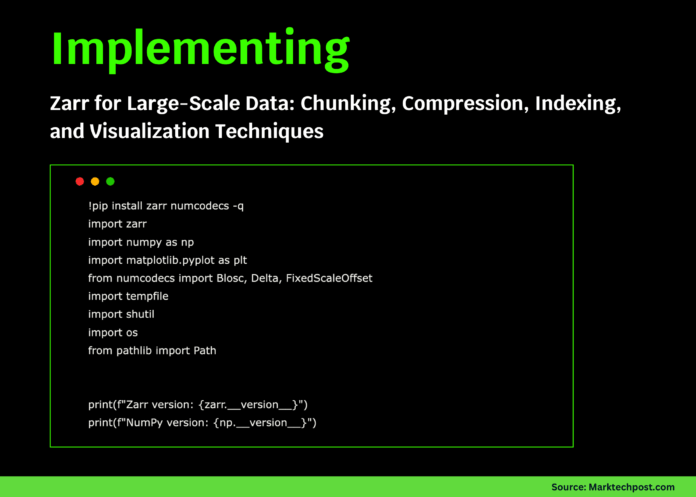
To begin, install the necessary packages: zarr, numcodecs, along with essential libraries like NumPy and Matplotlib. Confirming the versions ensures compatibility and readiness for the tutorial.
!pip install zarr numcodecs -q
import zarr
import numpy as np
import matplotlib.pyplot as plt
from numcodecs import Blosc, Delta, FixedScaleOffset
import tempfile
from pathlib import Path

print(f"Zarr version: {zarr.version}")
print(f"NumPy version: {np.version}")
Next, create a temporary working directory and initialize two Zarr arrays: a two-dimensional array filled with zeros and a three-dimensional array filled with ones. These arrays are chunked to optimize read/write operations and stored on disk. We then populate these arrays with random and sequential data, respectively, while monitoring their shapes, chunk configurations, and memory footprints.
tutorialdir = Path(tempfile.mkdtemp(prefix="zarrtutorial"))
print(f"Working directory: {tutorialdir}")

z1 = zarr.zeros((1000, 1000), chunks=(100, 100), dtype='f4',
               store=str(tutorialdir / 'basicarray.zarr'), zarrformat=2)
z2 = zarr.ones((500, 500, 10), chunks=(100, 100, 5), dtype='i4',
              store=str(tutorialdir / 'multidim.zarr'), zarrformat=2)

print(f"2D Array shape: {z1.shape}, chunks: {z1.chunks}, dtype: {z1.dtype}")
print(f"3D Array shape: {z2.shape}, chunks: {z2.chunks}, dtype: {z2.dtype}")

z1[100:200, 100:200] = np.random.random((100, 100)).astype('f4')
z2[:, :, 0] = np.arange(500500).reshape(500, 500)

print(f"Estimated memory usage: {z1.nbytesstored() / 10242:.2f} MB")
Optimizing Chunking for Time-Series and Spatial Data
We simulate a year-long daily time-series dataset with spatial dimensions, carefully selecting chunk sizes to balance temporal and spatial access efficiency. Seasonal variations are modeled using sinusoidal functions, while spatial noise is introduced via Gaussian distributions. This setup allows us to benchmark access times for temporal slices (single pixel over time) and spatial slices (single day across a region), illustrating the impact of chunking on performance.
timesteps, height, width = 365, 1000, 2000
timeseries = zarr.zeros(
   (timesteps, height, width),
   chunks=(30, 250, 500),
   dtype='f4',
   store=str(tutorialdir / 'timeseries.zarr'),
   zarrformat=2
)

for t in range(0, timesteps, 30):
   endt = min(t + 30, timesteps)
   seasonal = np.sin(2  np.pi  np.arange(t, endt) / 365)[:, None, None]
   spatial = np.random.normal(20, 5, (endt - t, height, width))
   timeseries[t:endt] = (spatial + 10  seasonal).astype('f4')

print(f"Time series shape: {timeseries.shape}")

import time
start = time.time()
temporalslice = timeseries[:, 500, 1000]
temporalduration = time.time() - start

start = time.time()
spatialslice = timeseries[100, :200, :200]
spatialduration = time.time() - start

print(f"Temporal slice access time: {temporalduration:.4f}s")
print(f"Spatial slice access time: {spatialduration:.4f}s")
Exploring Compression Techniques and Their Impact
Compression plays a crucial role in managing storage and access speed. We compare uncompressed data with LZ4 and Zstandard (ZSTD) codecs, applying them to identical datasets to evaluate compression ratios and storage savings. Additionally, we demonstrate compression on sequential data using cumulative sums, which often compress more effectively due to inherent data patterns.
data = np.random.randint(0, 1000, (1000, 1000), dtype='i4')

from zarr.codecs import BloscCodec, BytesCodec

znone = zarr.array(data, chunks=(100, 100),
                  codecs=[BytesCodec()],
                  store=str(tutorialdir / 'nocompress.zarr'))

zlz4 = zarr.array(data, chunks=(100, 100),
                  codecs=[BytesCodec(), BloscCodec(cname='lz4', clevel=5)],
                  store=str(tutorialdir / 'lz4compress.zarr'))

zzstd = zarr.array(data, chunks=(100, 100),
                   codecs=[BytesCodec(), BloscCodec(cname='zstd', clevel=9)],
                   store=str(tutorialdir / 'zstdcompress.zarr'))

sequentialdata = np.cumsum(np.random.randint(-5, 6, (1000, 1000)), axis=1)
zdelta = zarr.array(sequentialdata, chunks=(100, 100),
                    codecs=[BytesCodec(), BloscCodec(cname='zstd', clevel=5)],
                    store=str(tutorialdir / 'sequentialcompress.zarr'))

sizes = {
   'No compression': znone.nbytesstored(),
   'LZ4': zlz4.nbytesstored(),
   'ZSTD': zzstd.nbytesstored(),
   'Sequential + ZSTD': zdelta.nbytesstored()
}

print("Compression results:")
originalsize = data.nbytes
for method, size in sizes.items():
   ratio = size / originalsize
   print(f"{method}: {size/10242:.2f} MB (Compression ratio: {ratio:.3f})")
Structuring Complex Data with Hierarchical Groups and Metadata
Zarr supports organizing datasets into nested groups, enabling logical separation of raw data, processed results, and metadata. Here, we create an experimental data hierarchy with groups for raw images, timestamps, processed outputs, and descriptive attributes. This approach mirrors real scientific workflows, facilitating data management and provenance tracking.
root = zarr.opengroup(str(tutorialdir / 'experiment.zarr'), mode='w')

rawdata = root.creategroup('rawdata')
processed = root.creategroup('processed')
metadata = root.creategroup('metadata')

rawdata.createdataset('images', shape=(100, 512, 512), chunks=(10, 128, 128), dtype='u2')
rawdata.createdataset('timestamps', shape=(100,), dtype='datetime64[ns]')

processed.createdataset('normalized', shape=(100, 512, 512), chunks=(10, 128, 128), dtype='f4')
processed.createdataset('features', shape=(100, 50), chunks=(20, 50), dtype='f4')

root.attrs['experimentid'] = 'EXP2024001'
root.attrs['description'] = 'Comprehensive Zarr tutorial example'
root.attrs['created'] = str(np.datetime64('2024-01-01'))

rawdata.attrs['instrument'] = 'Simulated Camera'
rawdata.attrs['resolution'] = [512, 512]
processed.attrs['normalizationmethod'] = 'z-score'

timestamps = np.datetime64('2024-01-01') + np.arange(100)  np.timedelta64(1, 'h')
rawdata['timestamps'][:] = timestamps

for i in range(100):
   frame = np.random.poisson(100 + 50  np.sin(2  np.pi  i / 100), (512, 512)).astype('u2')
   rawdata['images'][i] = frame

print(f"Hierarchical groups created: {list(root.groupkeys())}")
Advanced Indexing and Data Extraction in 4D Volumetric Arrays
We generate a synthetic four-dimensional volume dataset representing time, depth, and spatial dimensions. By simulating a moving focal point with varying intensity, we create realistic volumetric data. Advanced slicing techniques extract maximum intensity projections, sub-volumes, and threshold-based subsets, showcasing Zarr’s ability to efficiently access and manipulate large datasets without loading everything into memory.
volumedata = zarr.zeros((50, 20, 256, 256), chunks=(5, 5, 64, 64), dtype='f4',
                       store=str(tutorialdir / 'volume.zarr'), zarrformat=2)

for t in range(50):
   for z in range(20):
       y, x = np.ogrid[:256, :256]
       centery, centerx = 128 + 20np.sin(t0.1), 128 + 20np.cos(t0.1)
       focusquality = 1 - abs(z - 10) / 10
       signal = focusquality  np.exp(-((y-centery)2 + (x-centerx)2) / (502))
       noise = 0.1  np.random.random((256, 256))
       volumedata[t, z] = (signal + noise).astype('f4')

print("Performing slicing operations:")

maxproj = np.max(volumedata[:, 10], axis=0)
print(f"Max intensity projection shape: {maxproj.shape}")

zstack = volumedata[25, :, 100:156, 100:156]
print(f"Extracted Z-stack shape: {zstack.shape}")

brightpixels = volumedata[volumedata > 0.5]
print(f"Number of pixels above threshold: {len(brightpixels)}")
Enhancing Performance with Chunk-Wise Processing
To handle large datasets efficiently, we process data in manageable chunks, applying smoothing filters without loading the entire array into memory. This chunk-aware approach significantly reduces resource consumption and accelerates computation, making it suitable for real-time or large-scale data analysis.
import time

def movingaverage1d(x, window=5):
   kernel = np.ones(window) / window
   return np.convolve(x.astype(float), kernel, mode='same')

largearray = zarr.random.random((10000,), chunks=(1000,),
                              store=str(tutorialdir / 'large.zarr'), zarrformat=2)

start = time.time()
chunksize = 1000
smoothedchunks = []
for i in range(0, len(largearray), chunksize):
   chunk = largearray[i:i+chunksize]
   smoothed = movingaverage1d(chunk)
   smoothedchunks.append(smoothed)

result = np.concatenate(smoothedchunks)
elapsed = time.time() - start

print(f"Chunk-wise processing completed in {elapsed:.4f} seconds")
print(f"Processed total elements: {len(largearray):,}")
Visualizing Data Insights
Visualization is key to interpreting complex datasets. We plot temporal trends, spatial patterns, compression efficiency, volumetric profiles, and processed signals using Matplotlib, providing intuitive insights into the data and the effects of our storage and processing choices.
fig, axes = plt.subplots(2, 3, figsize=(15, 10))
fig.suptitle('Zarr Tutorial: Data Visualization', fontsize=16)

axes[0,0].plot(temporalslice)
axes[0,0].settitle('Temporal Evolution at Single Pixel')
axes[0,0].setxlabel('Day of Year')
axes[0,0].setylabel('Value')

im = axes[0,1].imshow(spatialslice, cmap='viridis')
axes[0,1].settitle('Spatial Pattern on Day 100')
plt.colorbar(im, ax=axes[0,1])

methods = list(sizes.keys())
ratios = [sizes[m]/originalsize for m in methods]
axes[0,2].bar(range(len(methods)), ratios)
axes[0,2].setxticks(range(len(methods)))
axes[0,2].setxticklabels(methods, rotation=45)
axes[0,2].settitle('Compression Ratios')
axes[0,2].setylabel('Ratio')

axes[1,0].imshow(maxproj, cmap='hot')
axes[1,0].settitle('Max Intensity Projection')

zprofile = np.mean(volumedata[25, :, 120:136, 120:136], axis=(1,2))
axes[1,1].plot(zprofile, 'o-')
axes[1,1].settitle('Z-Profile of Center Region')
axes[1,1].setxlabel('Z-slice')
axes[1,1].setylabel('Mean Intensity')

axes[1,2].plot(result[:1000])
axes[1,2].settitle('Smoothed Signal (First 1000 Samples)')
axes[1,2].setxlabel('Sample Index')
axes[1,2].setylabel('Amplitude')

plt.tightlayout()
plt.show()
Summary and Final Thoughts
This tutorial has showcased the versatility of Zarr in managing large-scale, multidimensional data. Key takeaways include:
- Creation and manipulation of multi-dimensional arrays with flexible chunking
- Strategic chunk size selection to optimize access patterns
- Application of advanced compression codecs to balance speed and storage
- Hierarchical grouping with rich metadata for organized data management
- Advanced indexing techniques for efficient data slicing and extraction
- Performance improvements through chunk-wise processing
- Integration with visualization tools for insightful data analysis
To conclude, Zarr offers a robust framework for modern data workflows, enabling efficient storage, rapid access, and scalable processing of complex datasets. Its design supports seamless integration into scientific computing pipelines, making it an invaluable tool for researchers and data engineers alike.
Explore more tutorials and resources to deepen your understanding of Zarr and its applications. Stay connected with our community for updates, tips, and collaborative opportunities.

