
Building a High-Performance OCR AI Agent in Google Colab
In this guide, we develop a sophisticated OCR (Optical Character Recognition) AI agent leveraging EasyOCR, OpenCV, and Pillow libraries, fully operable offline with GPU acceleration in Google Colab. Our solution integrates an advanced image preprocessing pipeline-including contrast enhancement via CLAHE, noise reduction, sharpening, and adaptive thresholding-to significantly boost text recognition accuracy.
Comprehensive OCR Features Beyond Basic Text Extraction
Our OCR agent not only extracts text but also filters results based on confidence scores, compiles detailed text statistics, and detects common patterns such as email addresses, URLs, dates, and phone numbers. It supports multiple languages and provides simple language identification hints. Additionally, the system is designed for batch processing, offers visualization of detected text with bounding boxes, and exports results in structured formats for versatile downstream applications.
Setting Up the Environment
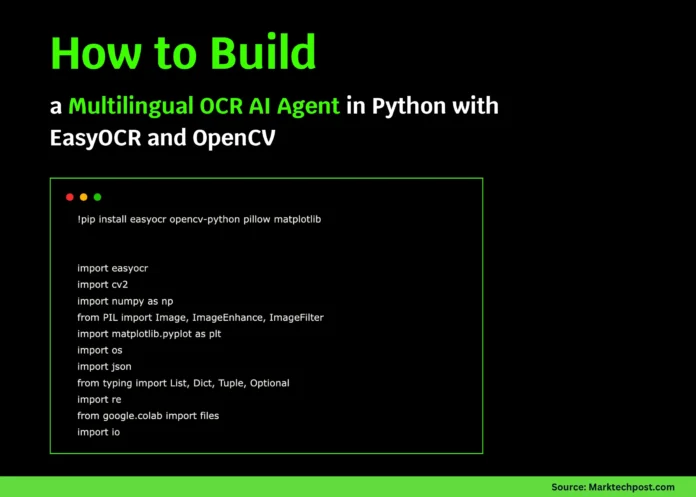
!pip install easyocr opencv-python pillow matplotlib

import easyocr
import cv2
import numpy as np
from PIL import Image, ImageEnhance, ImageFilter
import matplotlib.pyplot as plt
import os
import json
import re
from google.colab import files
import io
We begin by installing essential libraries and importing modules to handle image processing, OCR execution, visualization, and file management efficiently.
AdvancedOCRAgent Class: Core of the OCR Pipeline
The AdvancedOCRAgent class encapsulates the entire OCR workflow, from image preprocessing to text extraction, analysis, visualization, and exporting results.
Initialization and Configuration
The agent initializes with support for multiple languages and GPU acceleration to optimize performance. A confidence threshold is set to filter out low-confidence text detections, ensuring output quality.
Image Preprocessing for Enhanced OCR Accuracy
Images undergo several preprocessing steps:
- Conversion to grayscale
- Contrast Limited Adaptive Histogram Equalization (CLAHE) for contrast improvement
- Noise removal using Non-Local Means Denoising
- Image sharpening with a custom kernel
- Adaptive thresholding to binarize the image
This pipeline prepares images for more reliable text recognition, especially in challenging lighting or noisy conditions.
Text Extraction and Confidence Filtering
Using EasyOCR, the agent reads text from the preprocessed images. It filters out results below the confidence threshold and aggregates high-confidence text into a coherent output. The agent also computes statistics such as word count, line count, and confidence score distribution.
Visualizing OCR Results
To aid interpretation, the agent can display the original image with bounding boxes around detected text regions, annotated with confidence scores. It also shows the preprocessed image, a histogram of confidence scores, and summary statistics in a multi-panel plot.
Intelligent Text Pattern Recognition and Language Detection
The agent performs regex-based pattern matching to identify emails, phone numbers, URLs, and dates within the extracted text. It also provides heuristic language detection by scanning for character sets typical of Russian, Romance languages, Chinese, Japanese, or Latin-based alphabets.
Batch Processing Capability
Designed for scalability, the agent can process entire folders of images, handling common image formats and reporting progress or errors for each file.
Exporting Results for Further Use
Extracted data can be saved in JSON format, preserving detailed OCR results and metadata, or as plain text files containing the concatenated recognized text. This flexibility supports integration with various workflows and applications.
class AdvancedOCRAgent:
    """
    A robust OCR AI agent with preprocessing, multilingual support,
    and advanced text extraction and analysis features.
    """

    def __init__(self, languages=['en'], gpu=True):
        print("🤖 Initializing Advanced OCR Agent...")
        self.languages = languages
        self.reader = easyocr.Reader(languages, gpu=gpu)
        self.confidence_threshold = 0.5
        print(f"✅ OCR Agent ready! Languages: {languages}")

    def upload_image(self) -> str:
        print("📁 Please upload an image file:")
        uploaded = files.upload()
        if uploaded:
            filename = next(iter(uploaded))
            print(f"✅ Uploaded file: {filename}")
            return filename
        return None

    def preprocess_image(self, image: np.ndarray, enhance=True) -> np.ndarray:
        if len(image.shape) == 3:
            gray = cv2.cvtColor(image, cv2.COLOR_BGR2GRAY)
        else:
            gray = image.copy()

        if enhance:
            clahe = cv2.createCLAHE(clipLimit=2.0, tileGridSize=(8,8))
            gray = clahe.apply(gray)
            gray = cv2.fastNlMeansDenoising(gray)
            kernel = np.array([[-1,-1,-1], [-1,9,-1], [-1,-1,-1]])
            gray = cv2.filter2D(gray, -1, kernel)

        binary = cv2.adaptiveThreshold(
            gray, 255, cv2.ADAPTIVE_THRESH_GAUSSIAN_C, cv2.THRESH_BINARY, 11, 2
        )
        return binary

    def extract_text(self, image_path: str, preprocess=True) -> dict:
        print(f"🔍 Processing image: {image_path}")
        image = cv2.imread(image_path)
        if image is None:
            raise FileNotFoundError(f"Image not found: {image_path}")

        processed_image = self.preprocess_image(image) if preprocess else image
        results = self.reader.readtext(processed_image)

        extracted = {
            'raw_results': results,
            'filtered_results': [],
            'full_text': '',
            'confidence_stats': {},
            'word_count': 0,
            'line_count': 0
        }

        high_conf_text = []
        confidences = []

        for bbox, text, conf in results:
            if conf >= self.confidence_threshold:
                extracted['filtered_results'].append({'text': text, 'confidence': conf, 'bbox': bbox})
                high_conf_text.append(text)
                confidences.append(conf)

        extracted['full_text'] = ' '.join(high_conf_text)
        extracted['word_count'] = len(extracted['full_text'].split())
        extracted['line_count'] = len(high_conf_text)

        if confidences:
            extracted['confidence_stats'] = {
                'mean': float(np.mean(confidences)),
                'min': float(np.min(confidences)),
                'max': float(np.max(confidences)),
                'std': float(np.std(confidences))
            }

        return extracted

    def visualize_results(self, image_path: str, results: dict, show_bbox=True):
        image = cv2.imread(image_path)
        image_rgb = cv2.cvtColor(image, cv2.COLOR_BGR2RGB)

        plt.figure(figsize=(15, 10))

        if show_bbox:
            plt.subplot(2, 2, 1)
            img_boxes = image_rgb.copy()
            for item in results['filtered_results']:
                bbox = np.array(item['bbox']).astype(int)
                cv2.polylines(img_boxes, [bbox], True, (255, 0, 0), 2)
                x, y = bbox[0]
                cv2.putText(img_boxes, f"{item['confidence']:.2f}", (x, y-10),
                            cv2.FONT_HERSHEY_SIMPLEX, 0.5, (255, 0, 0), 1)
            plt.imshow(img_boxes)
            plt.title("Detected Text with Bounding Boxes")
            plt.axis('off')

        plt.subplot(2, 2, 2)
        processed = self.preprocess_image(cv2.imread(image_path))
        plt.imshow(processed, cmap='gray')
        plt.title("Preprocessed Image")
        plt.axis('off')

        plt.subplot(2, 2, 3)
        confidences = [item['confidence'] for item in results['filtered_results']]
        if confidences:
            plt.hist(confidences, bins=20, color='blue', alpha=0.7)
            plt.axvline(self.confidence_threshold, color='red', linestyle='--',
                        label=f'Threshold: {self.confidence_threshold}')
            plt.xlabel('Confidence Score')
            plt.ylabel('Frequency')
            plt.title('Confidence Score Distribution')
            plt.legend()

        plt.subplot(2, 2, 4)
        stats = results['confidence_stats']
        if stats:
            labels = ['Mean', 'Min', 'Max']
            values = [stats['mean'], stats['min'], stats['max']]
            plt.bar(labels, values, color=['green', 'red', 'blue'])
            plt.ylim(0, 1)
            plt.title('Confidence Statistics')
            plt.ylabel('Score')

        plt.tight_layout()
        plt.show()

    def smart_text_analysis(self, text: str) -> dict:
        analysis = {
            'language_detection': 'unknown',
            'text_type': 'unknown',
            'key_info': {},
            'patterns': {}
        }

        email_regex = r'b[A-Za-z0-9._%+-]+@[A-Za-z0-9.-]+.[A-Za-z]{2,}b'
        phone_regex = r'(+?d{1,3}[-.s]?)?((?d{3})?[-.s]?)?d{3}[-.s]?d{4}'
        url_regex = r'https?://[^s]+'
        date_regex = r'bd{1,2}[/-]d{1,2}[/-]d{2,4}b'

        patterns = {
            'emails': re.findall(email_regex, text, re.IGNORECASE),
            'phones': re.findall(phone_regex, text),
            'urls': re.findall(url_regex, text, re.IGNORECASE),
            'dates': re.findall(date_regex, text)
        }

        analysis['patterns'] = {k: v for k, v in patterns.items() if v}

        if any(patterns.values()):
            if patterns.get('emails') or patterns.get('phones'):
                analysis['text_type'] = 'contact_information'
            elif patterns.get('urls'):
                analysis['text_type'] = 'web_links'
            elif patterns.get('dates'):
                analysis['text_type'] = 'dated_document'

        # Language detection heuristics based on character sets
        if re.search(r'[а-яё]', text.lower()):
            analysis['language_detection'] = 'russian'
        elif re.search(r'[àáâãäåæçèéêëìíîïñòóôõöøùúûüý]', text.lower()):
            analysis['language_detection'] = 'romance_language'
        elif re.search(r'[u4e00-u9fff]', text):
            analysis['language_detection'] = 'chinese'
        elif re.search(r'[u3040-u30ff]', text):
            analysis['language_detection'] = 'japanese'
        elif re.search(r'[a-zA-Z]', text):
            analysis['language_detection'] = 'latin_based'

        return analysis

    def process_batch(self, folder_path: str) -> list:
        results = []
        valid_extensions = ('.png', '.jpg', '.jpeg', '.bmp', '.tiff')

        for file in os.listdir(folder_path):
            if file.lower().endswith(valid_extensions):
                path = os.path.join(folder_path, file)
                try:
                    res = self.extract_text(path)
                    res['filename'] = file
                    results.append(res)
                    print(f"✅ Processed: {file}")
                except Exception as e:
                    print(f"❌ Failed to process {file}: {e}")

        return results

    def export_results(self, results: dict, file_format='json') -> str:
        if file_format.lower() == 'json':
            content = json.dumps(results, indent=2, ensure_ascii=False)
            filename = 'ocr_output.json'
        elif file_format.lower() == 'txt':
            content = results.get('full_text', '')
            filename = 'ocr_text.txt'
        else:
            raise ValueError("Supported export formats: 'json', 'txt'")

        with open(filename, 'w', encoding='utf-8') as f:
            f.write(content)

        print(f"📄 Results saved to: {filename}")
        return filename
Demonstration: Running the OCR Agent
The following function showcases the agent’s capabilities in a step-by-step manner:
def demo_ocr_agent():
    print("🚀 Starting Advanced OCR AI Agent Demo")
    print("=" * 50)

    ocr_agent = AdvancedOCRAgent(languages=['en'], gpu=True)

    image_file = ocr_agent.upload_image()
    if image_file:
        try:
            results = ocr_agent.extract_text(image_file, preprocess=True)

            print(f"n📊 OCR Summary:")
            print(f"Words detected: {results['word_count']}")
            print(f"Lines detected: {results['line_count']}")
            print(f"Average confidence: {results['confidence_stats'].get('mean', 0):.2f}")

            print(f"n📝 Extracted Text:")
            print("-" * 30)
            print(results['full_text'])
            print("-" * 30)

            analysis = ocr_agent.smart_text_analysis(results['full_text'])
            print(f"n🧠 Text Analysis:")
            print(f"Detected text type: {analysis['text_type']}")
            print(f"Language hint: {analysis['language_detection']}")
            if analysis['patterns']:
                print(f"Identified patterns: {list(analysis['patterns'].keys())}")

            ocr_agent.visualize_results(image_file, results)

            ocr_agent.export_results(results, 'json')

        except Exception as e:
            print(f"❌ Error during OCR processing: {e}")
    else:
        print("No image uploaded. Please try again.")

if __name__ == "__main__":
    demo_ocr_agent()
Summary and Outlook
This tutorial presents a comprehensive OCR pipeline that integrates image enhancement, text recognition, and intelligent analysis within a single Google Colab notebook. By combining EasyOCR with OpenCV preprocessing techniques, the agent achieves improved accuracy and reliability without relying on external APIs. Visualization tools help interpret results, while batch processing and flexible export options make it suitable for real-world applications.
With modular design, this framework can be extended to domain-specific tasks such as invoice parsing, document classification, or multilingual text extraction, making it a powerful foundation for advanced OCR solutions.

